2
2. Product Description
3. Instructions
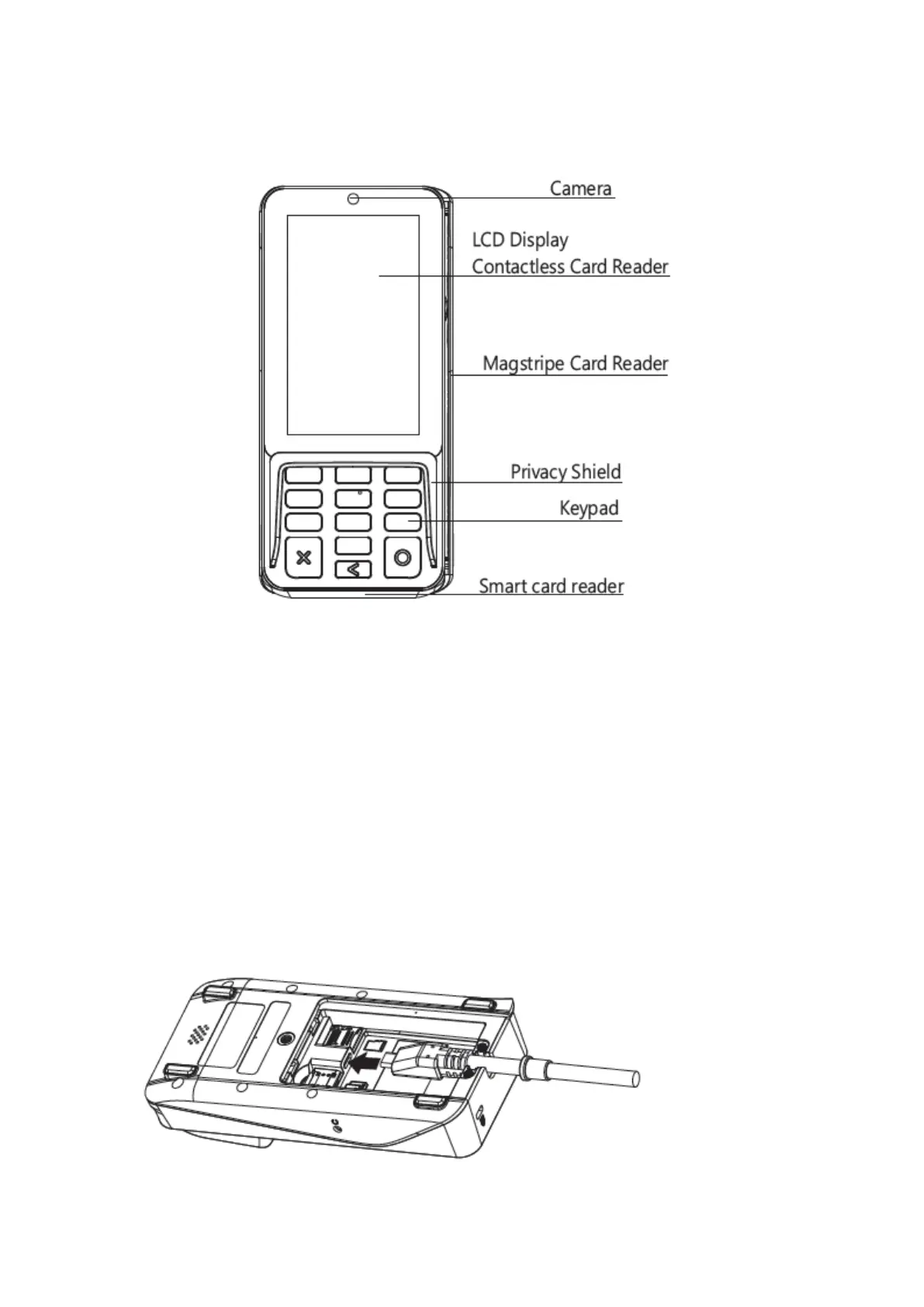
A35 connects to a POS or an ECR by a communication cable for entering password, taping
contactless card, swiping mag stripe card, inserting smart card or reading 1D/2D code during
transaction process. To use it correctly, you should refer to following instructions:
1) Power Connections
Power can be supplied to the A35 by connecting the AC power adapter to the communication cable
in the case of RS232 or USB configurations, or via a powered USB cable (12V Powered USB)
where the connected POS terminal provides the power.
2) Reset
Press and hold the 'X' and ‘O’ button for 5-8 seconds, the operation system will reset.
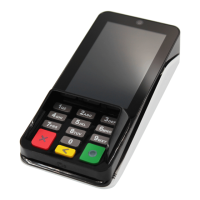
3) Communication cable
① Remove the back cover (At the bottom of the terminal).
② Put the communication cable head to the Type-C interface.


 To Next Page