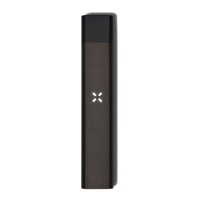
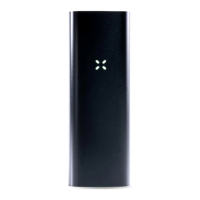
PAXSmart™ pod Previous Era™ pod
PAXSmart pods include additional features:
● They have ExpertTemp™ technology, which means the pod comes preset to its
optimal temperature as chosen by the extractor for that particular pod. When you
first insert a PAXSmart pod into your Era Pro, it will automatically set your device
to its ExpertTemp setting, though you can still change the temperature if you wish.
● When paired with an Era Pro device, PAXSmart pods remember and save the last
temperature setting you used with that particular pod, so that there’s no effort in
getting back to your favorite setting the next time you insert your pod.
● PAXSmart pods are automatically identified by the mobile app*, letting you easily
explore brand, strain, and testing information, and additional flavor and vapor
temperature recommendations for your pod.
Pods can be inserted into your device with the brand information facing either direction.
Insert your pod into the top of the device until you feel a “click.” It’s fine to leave pods
inserted in between sessions.
When you insert a pod, the petals will blink white and then fade to yellow to indicate the
current temperature setting, and the device will vibrate once.
For PAXSmart pods that are currently set to their ExpertTemp setting, the petals will blink
white, and then fade to light blue and yellow, and the device will vibrate three times.
The petals will blink white when a pod is inserted, then fade to yellow to indicate temperature


 To Next Page