
EasyManua.ls Logo

PAX T3180 - User Manual

PAX T3180
27 pages
Print Icon
To Next Page IconTo Next Page
Loading...
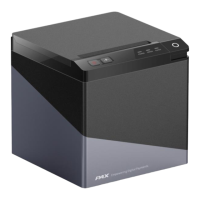
3 Inch Thermal Printer
T3180
User Manual

Questions and Answers

PAX T3180 Specifications

General IconGeneral
BrandPAX
ModelT3180
CategoryPrinter
LanguageEnglish

Summary

Statement

Important Safety Instructions

Essential safety guidelines, including print head temperature and static discharge precautions.

Instructions

Step-by-step instructions for printer placement, operation, and power management.

Other Precautions

Information on copyright, company liability, and product usage restrictions.

WEEE (Waste Electrical and Electric Equipment)

Guidelines for responsible disposal and recycling of the printer.

Overview

Introductions

Introduces the T3180 thermal receipt printer and its applications.

The Main Features

Lists the primary features and capabilities of the T3180 printer.

Getting Started

Packing List

Details the items included in the printer package and checks for shipping damage.

Appearance and Components

Identifies external parts (Front, Rear, Inside) and interfaces of the printer.

Specification

Printer Specification

Details the general technical specifications of the T3180 printer.

Printing Media Specification

Specifies the compatible paper types, widths, and thickness.

Printing and Cutting Position

Illustrates printing layout and defines paper cutting positions.

Installation and Usage

Media Loading

Instructions for confirming and loading the paper roll into the printer.

LED Indication and Beeper

Explains the function of LED lights and beeper sounds for printer status.

Power Connection

Details how to connect the power adapter and power cord to the printer.

Interface Cable Connection

Steps for connecting various interface cables to the printer.

Cash Drawer Connection

Instructions for connecting a cash drawer to the printer's interface.

Print Test

Procedures for performing a self-test and printing a test page.

Interfaces

USB

Details the pinout and signals for the USB interface.

Serial Interface

Describes the pinout and signals for the serial interface.

Ethernet Interface

Details the pinout and signals for the Ethernet network interface.

Cash Drawer Interface

Explains the pinout and electrical characteristics of the cash drawer interface.

Power Supply Interface

Details the pinout and connections for the power supply interface.

Bluetooth Settings

Configuration details for Bluetooth connectivity, including default name and password.

Wi-Fi Settings

Configuration methods and status indicators for Wi-Fi connectivity.

Troubleshooting

Printer Not Working

Diagnoses and solutions for the printer not powering on or functioning.

LED Indicator and Beeper

Interprets LED and beeper signals for troubleshooting printer issues.

Troubles Occur During Printing

Addresses common printing issues like stripes, spots, and paper jams.

Problems Emerge During the Paper Cutting

Solutions for problems related to the printer's paper cutting mechanism.

Removing Jammed Paper

Step-by-step guide on how to safely remove jammed paper from the printer.

Printer Cleaning and Maintenance

Cleaning Head

Instructions for cleaning the printer's thermal print head.

Cleaning Sensors, Roller and;or Paper Path

Guidance on cleaning internal sensors, rollers, and the paper path.

Regulatory Compliance

RF Exposure Statement

Statement regarding FCC RF radiation exposure limits and installation requirements.

FCC Warning

Details FCC rules, potential interference, and user obligations for compliance.

IC Warning

Information on Canadian compliance for license-exempt transmitters and interference.