Perform Time Job Aid:
Course Overview and Installation
Updated: 5/26/15 Copyright © Paycor Inc. All Rights Reserved Page 11
Password Enrollment (Manual Punching)
Employee’s may punch without the use of a badge or fingerprint if you enroll them with a
password. Follow the procedure below.
Adding a password on an Employee will disable the Biometric Reader on the clock for
that employee.
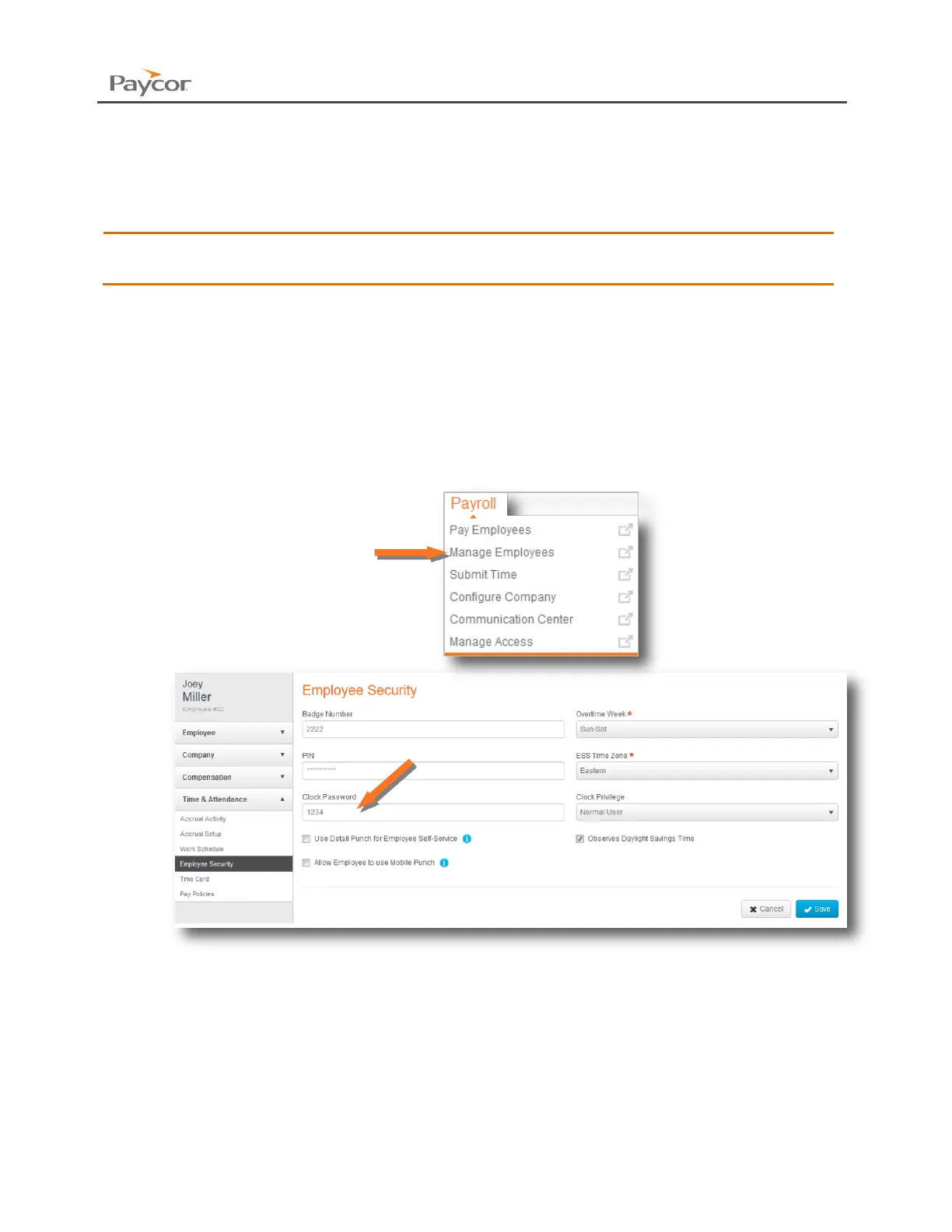
1. Sign in through paycor.com. Hover over the Payroll menu, and click on Manage
Employees. Select the necessary employee.
2. Using the left navigation menu, open Time & Attendance. Then click on Employee
Security.
3. Once the Clock Password is added to the employee, they will be automatically sent to
the clock.
4. Click Save if any changes have been made.



 To Next Page