Mainboard User’s Manual
Installing Memory Modules
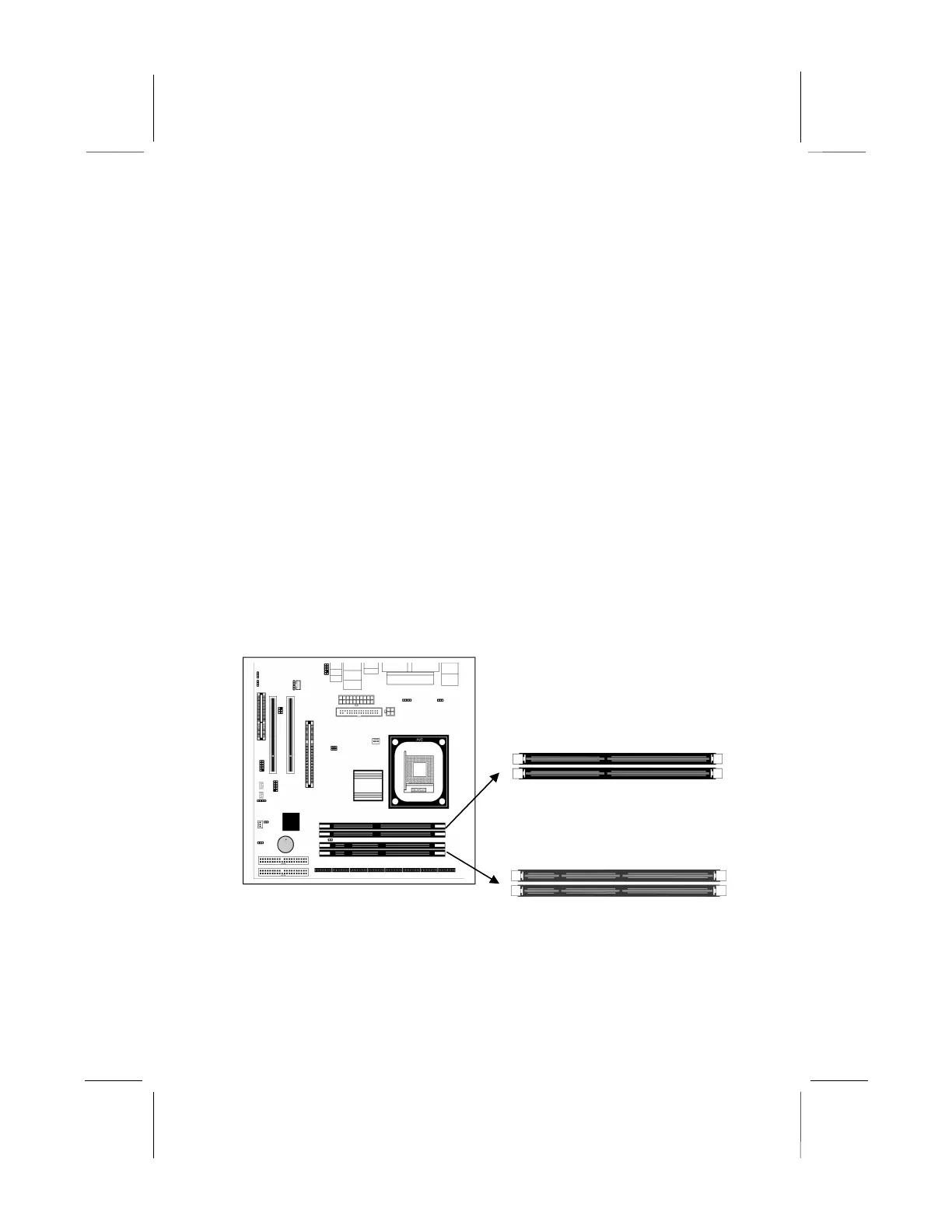
This mainboard accommodates two 168-pin 3.3V unbuffered
Synchronous Dynamic Random Access Memory (SDRAM) and
two 184-pin 2.5V unbuffered Double Data Rate SDRAM (DDR
SDRAM) Dual Inline Memory Module (DIMM) sockets,
supporting 133 MHz SDRAM / 266 MHz DDR SDRAM.
The SDRAM DIMMs and DDRs can synchronously work with
100 MHz or operates over a 266 MHz system bus.
You must install at least one memory module in order to work out
this mainboard, either SDRAM or DDR SDRAM, but you can’t
use them simultaneously.
SDRAM provides 800 MB/s or 1 GB/s data transfer rate depending
on whether the bus is 100 MHz or 266 MHz. DDR SDRAM
doubles the rate to 1.0 GB/s and 2.1 GB/s by transferring data on
both the rising and falling edges of the clock. DDR SDRAM uses
additional power and ground lines and requires 184-pin 2.5V
unbuffered DIMM module.
14
DDR2
DDR1
DIMM2
DIMM1



 To Next Page