Section 3
MENU SETTI NGS
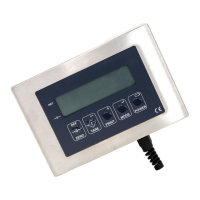
The unit may be user configured for certain functions this is set via a code input.
To access the code hold the TARE key whilst restoring power, when the display shows 888888
release the TARE key. A 5 digit numeric code number will be displayed prefixed by an alpha
character that records the build version for information purposes only. Refer to the code table for
available functions. To change the settings press the ZERO key in order to clear the existing code
and then input the new code followed by MODE key, note: the unit must have the necessary
hardware options installed if printing or relay functions are selected.
Weigh Mode Print Mode Baud Select Line Feeds Function
0 Standard 0 Nett Kg 0 1200 0 1 0
Standard
N/ Open
1 Count 1 Nett Gm 1 2400 1 2(* ) 1
N/ Open -
Fast
2 Silo 2 Nett Tn 2 9600 2 3 2 N/ Closed
3 Peak 3 G.N.T. Kg. 3 Reserved 3 4 3
N/ Closed-
Fast
4
Manual
Batcher
4 G.N.T. Gm 4 A.E.O. 4 5 4
High/ Low
Limit
5
1 Trip
Batcher
5 G.N.T. Tn 5 Reserved 5 6 5
H.L. Limit
- Fast
6
2 Trip
Batcher
6 P.C. Kg 6 Reserved 6 7 6 Reserved
7 Totalize 7 P.C. Gm 7 Reserved 7 8 7 Reserved
8 Freeze 8 P.C. Te 8 Reserved 8 9 8
Switch
9 Lbs \ kg 9 Reserved 9 Reserved 9 10 9 Reserved
* If PC output is enabled this selects type 2 data string (see page 3)


 To Next Page
 Loading...