PCAN-USB – User Manual
12
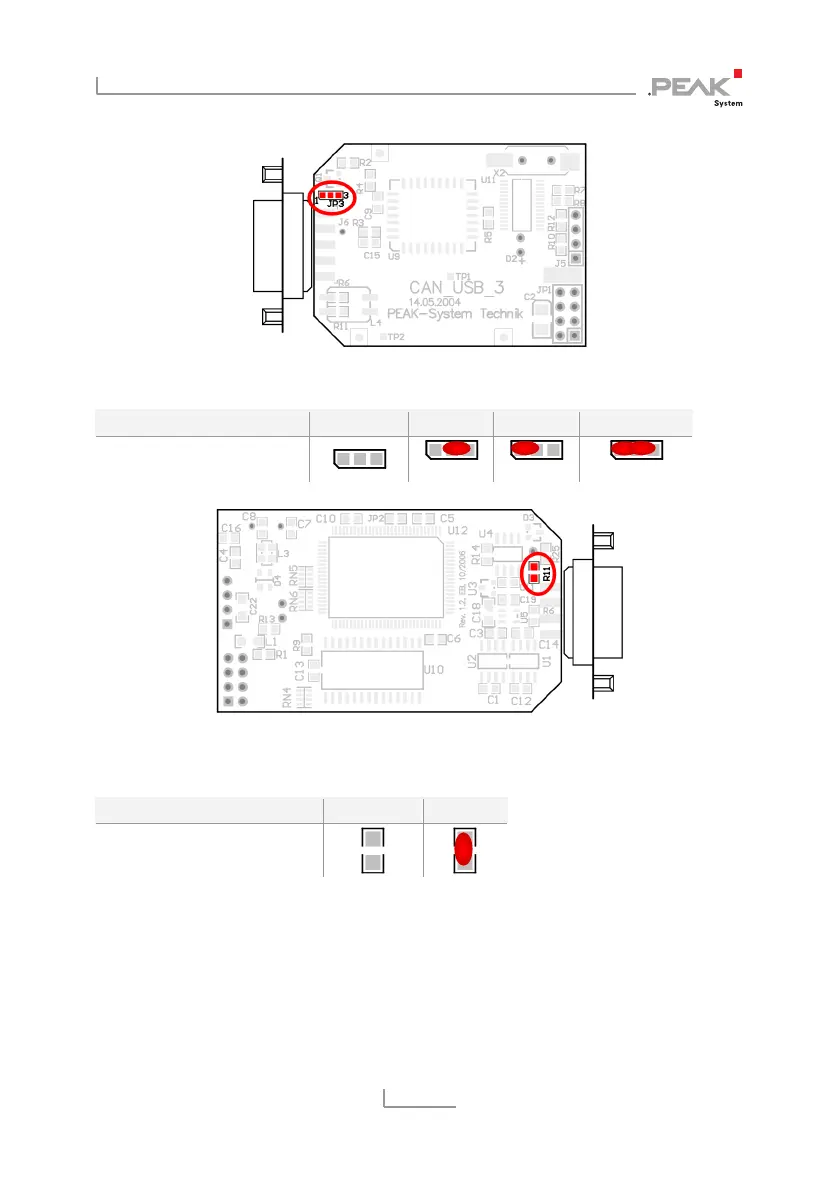
Figure 2: PCAN-USB board (IPEH-002021), solder field JP3
5-Volt supply →
None Pin 1 Pin 9 Pin 1 + Pin 9
PCAN-USB, solder field
JP3
Figure 3: Bottom side of the PCAN-USB opto-decoupled board (IPEH-002022),
solder field R11
5-Volt supply →
None Pin 1
PCAN-USB opto-decoupled,
solder field R11
For reassembly place the board overhead onto the top part of the
casing. Ensure that the cable is lying with the strain relief in the cut-
out of the casing, and that the LED is placed in the corresponding
hole. Push the bottom part of the casing onto the top part (the
latches click in).



 To Next Page