19
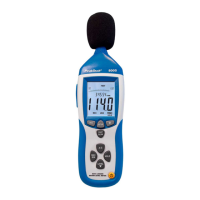
2.) Alarm Set the dB value and select the alarm mode:
Press the " MAX/MIN" button to turn the unit on.
Press the "MAX/MIN" button twice, then press and hold the
MAX/MIN button until the display shows a stable value.
Press the "FAST/SLOW" button to set the alarm value (40-130dB)
to increase the alarm values of 0.1dB. Continuous pressing
increases the value in 1dB steps.
Press „MAX/MIN“-key to confirm.
3) Select the alarm mode
To select the alarm mode, press the "MAX/MIN" button 2 times,
then press and hold the MAX / MIN button until the display shows
a stable value. Then press the "FAST/SLOW" button to select the
alarm mode.
• "01" Alarm mode: audible and visual signal
• "02" Alarm mode: only visual signal (flashing LED)
Press the "MAX / MIN" button and leave this mode, see Fig. 8.



 To Next Page