EasyManua.ls Logo

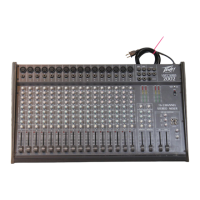
Peavey ESCORT 2000 - User Manual

Peavey ESCORT 2000
13 pages
Print Icon
To Next Page IconTo Next Page
Loading...
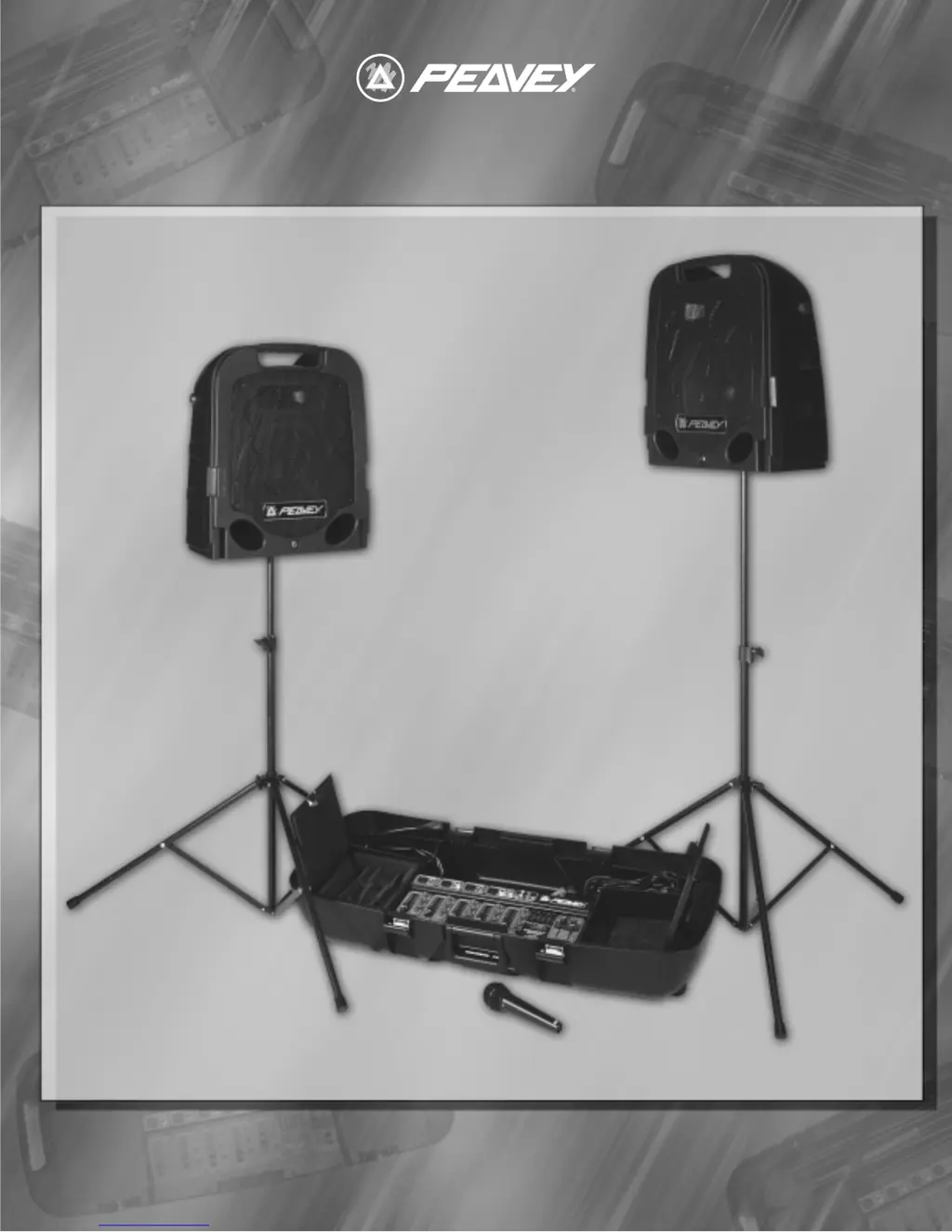
OPERATING GUIDEOPERATING GUIDE
ESCORT
2000
150 WATT POWERED MIXER
ESCORT
2000
150 WATT POWERED MIXER

Questions and Answers

  • L
    Lawrence EwingJul 26, 2025
    Why is my Peavey ESCORT 2000 making a loud howling or squealing noise?
    • M
      morenotammyJul 27, 2025
      If you are experiencing loud howling or squealing from the speakers when using your Peavey Music Mixer, it's likely due to acoustic feedback. To resolve this, try reducing the microphone gain, repositioning the microphone behind or farther away from the speakers, and observing the FLS light above the EQ to reduce the level of that band.
  • L
    Lorraine WrightAug 2, 2025
    What to do if the sound from my Peavey Music Mixer is distorted?
    • L
      Lisa HowellAug 2, 2025
      If the sound from your Peavey Music Mixer is distorted, it could be that the CHANNEL GAIN is set too high. Try reducing the CHANNEL GAIN and increasing the MASTER VOLUME to achieve a cleaner sound.
  • S
    Steven ZimmermanAug 7, 2025
    What to do if my Peavey Music Mixer has no sound but the power light is on?
    • J
      Jeff AllenAug 7, 2025
      If you're not getting any sound from your Peavey Music Mixer, and the power light is on, make sure to adjust both the MASTER and CHANNEL GAIN controls upwards to the desired level. Also, check the speaker connections, ensure the microphone switch is on, and verify the microphone or sound source connection.
  • J
    Joshua MorganAug 14, 2025
    How to fix a Peavey Music Mixer with no sound and no power light?
    • J
      Jacob PerezAug 14, 2025
      If you're not getting any sound from your Peavey Music Mixer and the power light is off, ensure that the power switch is turned on and the power cord is connected to a live outlet.
  • J
    Jessica BurkeAug 19, 2025
    What to do if only one speaker works with my Peavey Music Mixer?
    • V
      Vanessa MathisAug 20, 2025
      If only one speaker is working with your Peavey Music Mixer, fully insert the connector and try swapping the speaker cables between the left and right speakers and outputs to check for damaged cables. Additionally, set the CHANNEL 5 MODE switch to MONO or use the LEFT INPUT on CHANNEL 4. Ensure that both MASTER controls are turned up.

Summary

Quick Setup Guide

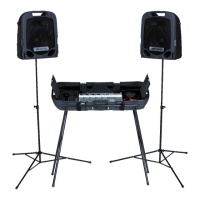
Setting Up Speakers

Instructions for unpacking and setting up speaker stands and connecting speakers.

Connecting Components

Connecting Microphone(s)

Guidance for connecting microphones to the mixer's XLR inputs.

Connecting CD, Tape, or Other Line Sources

Instructions for connecting audio sources like CD players or tape decks to the mixer.

Connecting Power

Steps for safely connecting the unit to a power source, including extension cord advice.

Operation and Controls

Setting Controls and Turning Unit On

Initial setup of master controls and the procedure for powering on the unit.

Adjusting Gain and Volume Controls (Faders)

How to adjust channel GAIN and MASTER VOLUME for optimal sound levels.

Adjusting Tone Controls

Guidance on using Bass and Treble controls for sound shaping.

Using the Graphic Equalizer

Explanation of the 5-band graphic equalizer for tonal balance adjustment.

Advanced Operation and Usage

Avoiding Acoustic Feedback

Strategies to prevent and manage loud howling or squealing sounds from the speakers.

Microphone Usage Guidelines

Tips for optimal microphone use, including single vs. multiple mic placement.

Reverb

How to add reverberation to enhance audio, with advice on moderation.

Stereo; Mono Operation

Configuring the system for stereo or mono playback based on speaker setup.

System Configuration and Packing

Main and Monitor Operation

Using the mixer for main sound output and stage monitoring with separate speaker control.

Auxiliary Output (AUX OUT) Operation

How to use the AUX OUT for recording or connecting auxiliary amplifiers.

Packing the Escort 2000

Steps for safely packing the system components into the portable carrying case.

Troubleshooting Guide

Escort 2000 Specifications

Peavey Electronics Corporation Limited Warranty

Important Safety Instructions

Peavey ESCORT 2000 Specifications

General IconGeneral
BrandPeavey
ModelESCORT 2000
CategoryMusic Mixer
LanguageEnglish

Related product manuals