EasyManua.ls Logo

Peavey ESCORT 3000 - User Manual

Peavey ESCORT 3000
21 pages
Print Icon
To Next Page IconTo Next Page
Loading...
www.peavey.com
Escort
®
3000
Portable PA System
Operating
Manual

Questions and Answers

  • D
    Dr. Michael FinleyJul 26, 2025
    Why is there a loud howling or squeal from Peavey DJ Equipment speakers?
    • C
      christophercummingsJul 26, 2025
      The loud howling or squealing from the speakers is likely acoustic feedback. If it disappears when you lower the CHANNEL or MASTER volume controls, reduce the microphone gain. You can also try repositioning the microphone behind or further away from the speakers. Additionally, observe the FLS light above the EQ and reduce the level of that band.
  • J
    Jeffrey ShafferAug 1, 2025
    What to do if Peavey DJ Equipment sound is distorted?
    • S
      Sandra MayAug 1, 2025
      If the sound is distorted, the CHANNEL GAIN might be set too high. Reduce the CHANNEL GAIN and increase the MASTER VOLUME to resolve this issue.
  • J
    Jessica JacksonAug 7, 2025
    What to do if there is no sound from Peavey DJ Equipment (power light on)?
    • S
      smithcarolynAug 7, 2025
      If there's no sound but the power light is on, try the following: * Adjust both MASTER and CHANNEL GAIN controls upward to the desired level. * Check the speaker connections. * Turn the mic switch on. * Check the mic or sound source connection.
  • A
    Amanda TrevinoAug 13, 2025
    How to fix Peavey DJ Equipment when only one speaker works?
    • T
      Tim HarrisAug 13, 2025
      To fix this issue, fully insert the connection and/or swap the speaker cables between the left and right speakers and outputs to check for damaged cables. Also, set the CHANNEL 5 MODE switch to LEFT OR RIGHT or use the LEFT INPUT on CHANNEL 4. Finally, ensure that both MASTER controls are turned up.
  • J
    jennifer10Aug 18, 2025
    How to fix Peavey DJ Equipment when there is no sound (no power light)?
    • E
      Erik DeleonAug 18, 2025
      If there is no sound and the power light is off, turn the power switch on. Also, ensure the power cord is connected to a live outlet.

Summary

Escort 3000 Portable PA System

Important Safety Instructions

General Usage & Installation Precautions

Covers essential guidelines like avoiding water, heat, blocking vents, cord protection, and proper servicing.

Hearing Protection Advisory

Warns about high noise levels and the need for hearing protection to prevent permanent hearing loss.

Setup Guide

Safety During Setup

Emphasizes safety precautions and provides a warning about connecting only included speakers to the mixer.

Setting Up Mixer and Speakers

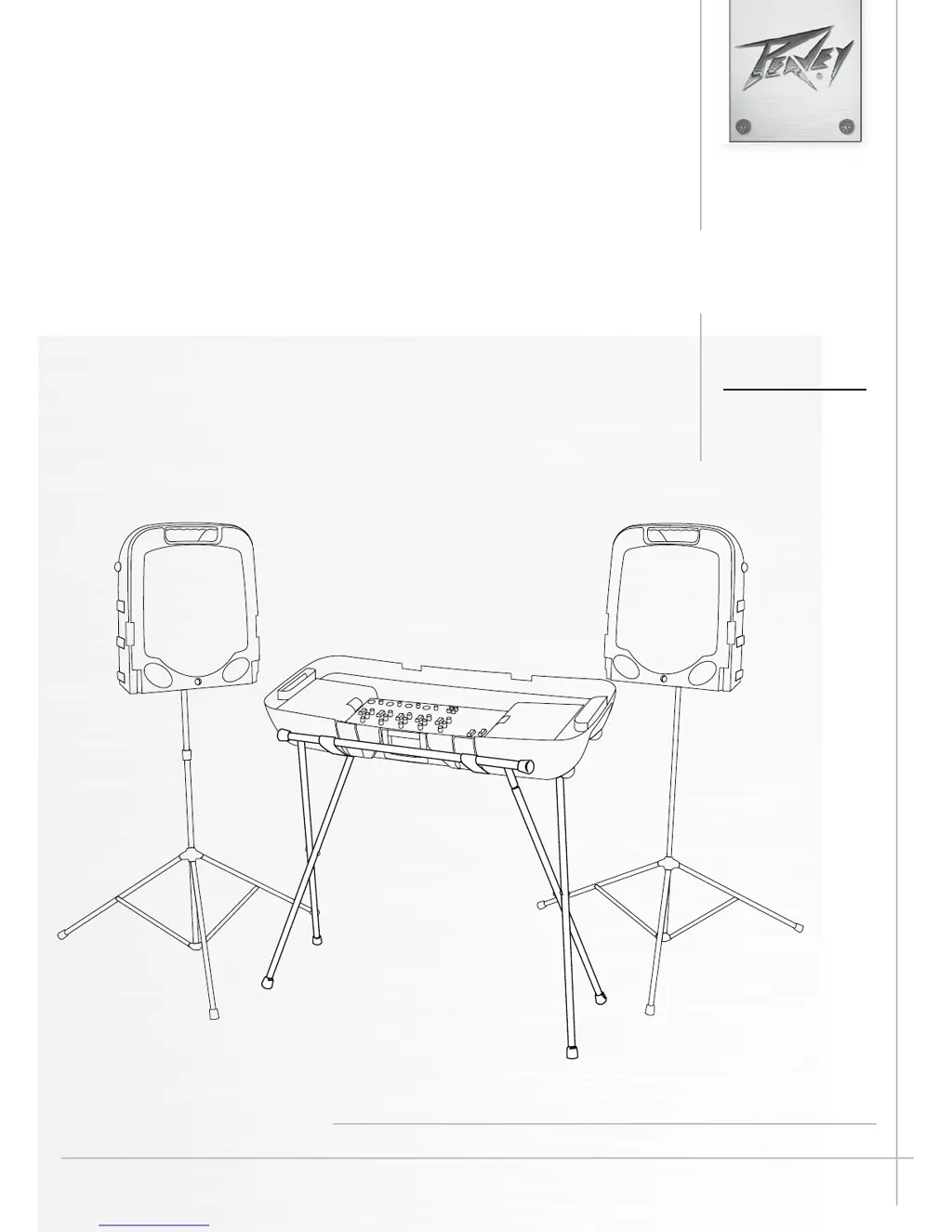
Instructions for unpacking, assembling speaker stands, and connecting speakers to the mixer.

Connectivity and Power

Connecting Power

Instructions for connecting the unit to a power source, including notes for UK wiring.

Basic Operation

Adjusting Gain and Volume Controls

Explains how to set optimal gain and volume levels for channels and master output.

Effects

Media Playback

Equalization and Usage Tips

Using the Graphic Equalizer

Details how to use the seven-band graphic equalizer for tonal balance and feedback reduction.

FLS Feedback Locating System

Explains how to use the FLS system to identify and reduce acoustic feedback frequencies.

Troubleshooting Guide

Peavey Limited Warranty

Peavey ESCORT 3000 Specifications

General IconGeneral
BrandPeavey
ModelESCORT 3000
CategorySpeakers
LanguageEnglish

Related product manuals