Changing Wi-Fi Networks (clearing the Pebble)
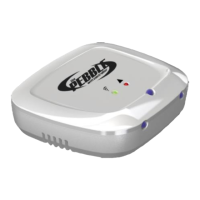
If your pebble has been setup before you will need to clear the settings before
doing a new blinkup. To check if your pebble already has been setup:
1. Plug Pebble into AC adaptor and power on at wall
a. If pebble flashes ORANGE ONLY – pebble is already cleared
b. If pebble flashes any other pattern (e.g. RED and/or GREEN) – pebble has
already been blinked up and you will need to clear it before connecting to a
new wifi source


 To Next Page