
 Need help?
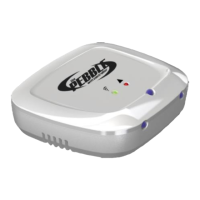
Do you have a question about the Pebble pebblewifi and is the answer not in the manual?
Lists required smartphone OS, Wi-Fi network types, encryption, and air-con model support.
Covers initial steps like smartphone connectivity, app download, and Wi-Fi password readiness.
Details the step-by-step BlinkUp procedure to connect the Pebble to your Wi-Fi.
Guides selecting the correct air-con brand and remote model for the Pebble.
Explains how to add multiple users and share the Pebble Air connection.
Details clearing existing settings and connecting to a new Wi-Fi network.
Describes the built-in temperature sensor and guidelines for optimal placement.
Explains the meaning of different LED patterns for status indication.
Provides solutions for common problems encountered during the BlinkUp process.
Outlines the terms and conditions of the manufacturer's warranty.
Lists company ownership, version, and registered trademarks.
 General
| Brand | Pebble |
|---|---|
| Model | pebblewifi |
| Category | Controller |
| Language | English |

 To Next Page