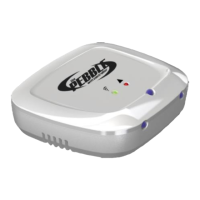
E. Connect Pebble to Power (and turn on at wall)
F. Only do this step if your first blinkup failed otherwise skip to step H – Tick legacy button (some phones
will require legacy blinkup mode)
G. Press “Clear Wireless Configuration” button & before 3 second timer runs out - Place Pebble on top of
phone screen. The sensor on underside of pebble must be on phone screen to read signal from phone
H. Wait 10-15 seconds until phone screen stops flashing then watch the lights on Pebble
I. Remove pebble from phone
J. If pebble flashed ORANGE – clearing is successful If the pebble flashed RED and/or GREEN it has not been
successful go back to step D


 To Next Page