54
| ENGLISH
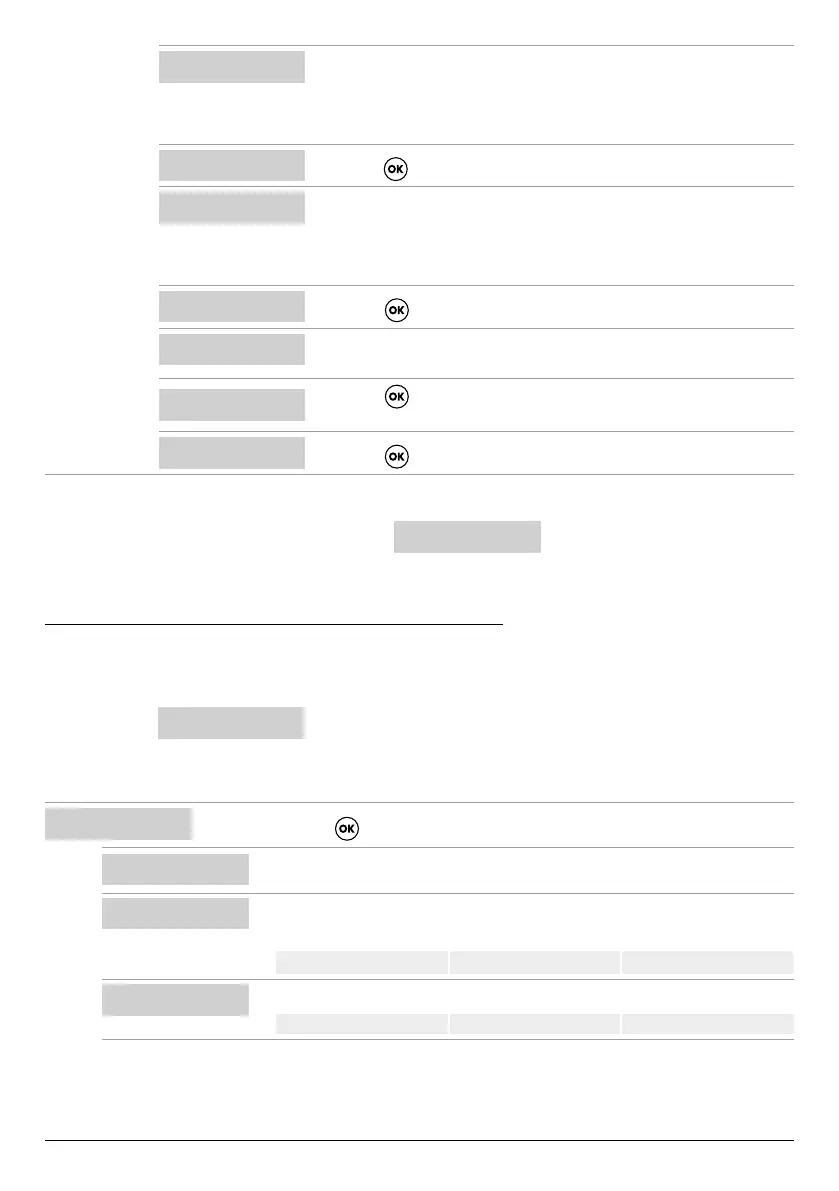
CLOSE VALVE
I:6.2
• Close the electric pump delivery valve until the minimum current value is
displayed (I).
• Wait about 20 seconds to let the minimum current parameter (I) settle, and
then the procedure will go to the next screen.
PRESS OK SAVE
I:6.2
• Press the key to save the CURR MIN parameter and go to the next screen.
OPEN VALVE
I:9.2A
• Open the electric pump delivery valve until the maximum current value is
displayed (I).
• Wait about 20 seconds to let the current parameter (I) settle, and then the
procedure will go to the next screen.
PRESS OK SAVE
I:9.2A
• Press the key to save the CURRENT parameter and go to the next screen
OPEN VALVE
V:220V
• Wait about 20 seconds to let the voltage parameter (V) settle, and then the
procedure will go to the next screen.
PRESS OK SAVE
V:220V
• Press the key to save the VOLT MIN and VOLT MAX parameters.
• The procedure is complete, and the next screen will appear.
WIZARD OK
• Press the key again to exit from the procedure
If there is an electric pump no. 2
Use the same procedure to congure electric pump no. 2
PUMP2 CONFIG
WIZARD
CONFIGURING THE PUMP PARAMETERS MANUALLY
The manual conguration wizard is a procedure in which the electric pump current and power factor (cosφ) must be entered
manually in a few steps.
• Open the menu
SELECT
PUMP1 CONFIG
• See PARAMETER EDITING COMMANDS for how to edit the values of each individual parameter.
SELECT
PUMP1 CONFIG
• Press the key to conrm the choice and enter the submenu
9
PUMP1 CONFIG
WIZARD
• Do not consider this submenu. Go to the next one.
PUMP1 CONFIG
CURRENT:5.0A
• Set the maximum permissible current of the electric pump (from the rating plate or
measured)
Default 5.0 A Range 0–18 A Step 0.1
PUMP1 CONFIG
CURR TOUT:7s
• Set the overcurrent trip delay time.
Default 7 sec Range 0–20 sec Step 1 sec



 To Next Page