EasyManua.ls Logo

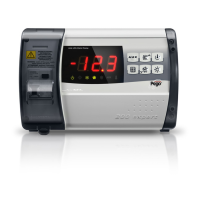
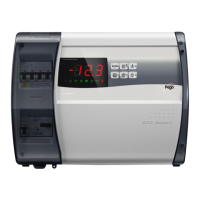
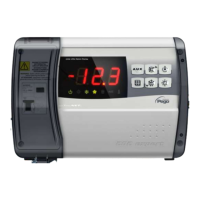
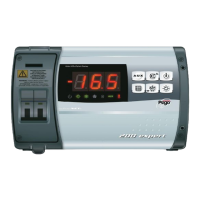
Pego ECP 200 Base 2 - User Manual

Pego ECP 200 Base 2
16 pages
Print Icon
To Next Page IconTo Next Page
Loading...
English Nederlands Deutsch Français Español Italiano
Compressor
protection
Kriwan Kriwan Kriwan Kriwan
Protezione
compressore
Door limit switch haven Tür Porte Puerta Micro porta
Ambient probe Ruimtesensor Raumfühler
Température
ambiente
Temperatura ambiente
Sonda
ambiente
Defrost probe temperatuurweergave Abtaufühler
Sonde de
dégivrage
Sensor de desescarche Sonda evaporatore
RS485 TELENET RS485 TELENET RS485 TELENET RS485 TELENET RS485 TELENET RS485 TELENET
Power Supply
230vac
levering 230vac
Versorgung
230vac
Alimentation
230vac
Suministro 230vac
Alimentazione
230vac
Defrost ontdooi elementen Abtauheizungen
résistances de
dégivrage
resistencias de
descongelación
Resistenze
sbrinamento
Fan verdamperventilator Verdampferlüfter
ventilateur
évaporateur
Evaporador ventilador Ventole evaporatore
Compressor Compressor Kompressor Compresseur Compresor Compressore
Light Licht Licht Éclairage Iluminación Luce
Alarm / Aux Alarm / Aux Alarm / Aux Alarme / Aux Alarma / Aux Allarme / Aux
Instructions
200 EXPERT + BASE 2/4

Questions and Answers

  • B
    Bradley WilsonAug 2, 2025
    What to do if the temperature shown on the Pego Control Panel display is flashing?
    • J
      Joseph BrownAug 2, 2025
      If the temperature displayed on the Pego Control Panel is flashing, it indicates a minimum or maximum temperature alarm. This means the temperature inside the cold room has exceeded the minimum or maximum temperature alarm setting. First, check that the compressor is working properly. It may also indicate that the sensor is not reading the temperature properly or that the compressor start/stop control is not working.
  • C
    Christopher ClarkAug 7, 2025
    What to do if the Pego Control Panel displays error code Ec?
    • C
      Christine KruegerAug 7, 2025
      If the Pego Control Panel displays the error code Ec, it means the compressor protection has tripped due to thermal protection or max pressure switch activation. Verify that the compressor is working properly and check compressor absorption. If the problem persists, you should contact the technical assistance service.
  • E
    Emily ReeseAug 12, 2025
    What to do if the Pego ECP 200 Base 2 Control Panel displays error code Ed?
    • A
      Alexander AllenAug 12, 2025
      If the Pego Control Panel displays error code Ed, it indicates an open door alarm. This alarm activates when the door is opened and remains open for a duration exceeding the set 'tdo' time. You should check the door switch status and door switch connections. If the problem persists, contact the technical assistance service.
  • B
    brandymcdanielAug 16, 2025
    What to do if the Pego ECP 200 Base 2 Control Panel displays error code E2?
    • J
      Jessica ShawAug 17, 2025
      If the Pego Control Panel displays error code E2, it means an EEPROM memory alarm has been detected, and all outputs except the alarm are deactivated. To resolve this, switch the unit off and then back on.
  • C
    Chelsea BlanchardAug 22, 2025
    Why does my Pego ECP 200 Base 2 display error code E1?
    • M
      Mrs. Kimberly VaughanAug 22, 2025
      If the Pego Control Panel displays error code E1, it indicates that the defrost sensor is not working properly, which will cause defrosts to last for the duration of time d3. Check that the defrost sensor is working properly and if the problem persists, replace the sensor.
  • J
    Joseph CooperAug 27, 2025
    How to fix Pego Control Panel error code E0?
    • R
      Russell MoodyAug 27, 2025
      If the Pego Control Panel displays error code E0, it means the cold room temperature sensor is not working properly. Check that the cold room temperature sensor is working correctly. If the problem continues, replace the sensor.

Summary

Device Instructions and Operation

Interface Diagram and Glossary

Visual guide to device connections and a multilingual glossary of technical terms.

User Interface Controls

Details on device functions and how to operate them via the control panel.

User Level Parameter Configuration

Configuration settings accessible to the end-user for temperature, defrost, and alarm settings.

Installer Level Parameter Configuration

Advanced parameter settings for professional installation and system setup.

Advanced Device Settings

Configuration for compressor protection, alarm relay control, and access passwords.

Troubleshooting Guide

Alarm Codes and Solutions

Common alarm codes, their causes, and recommended troubleshooting steps for resolution.

Display Alert Interpretation

Explanation of visual alerts on the display, such as flashing temperatures.

Manufacturer Information

PEGO S.r.l. Contact Details

Contact information for PEGO S.r.l., including address and communication channels.

Pego ECP 200 Base 2 Specifications

General IconGeneral
BrandPego
ModelECP 200 Base 2
CategoryControl Panel
LanguageEnglish

Related product manuals