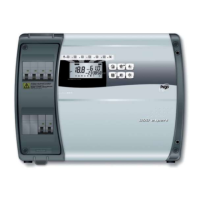
EasyManua.ls Logo

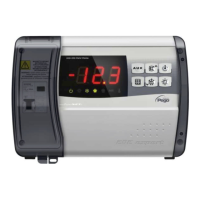
Pego ECP202 EXPERT + BASE Series User Manual

Pego ECP202 EXPERT + BASE Series
28 pages
To Next Page IconTo Next Page
Page #1 background imageLoading...
Page #1 background image
Rel. Software: 26
ECP202 EXPERT
+ BASE
READ AND KEEP
Use and maintenance manual
ELECTRICAL BOARDS FOR REFRIGERATING INSTALLATIONS
REV. 01-20
ENG

Questions and Answers:

Pego ECP202 EXPERT + BASE Series Specifications

General IconGeneral
CategoryControl Panel
ModelECP202
Resolution800 x 480 pixels
TouchscreenYes
Power Supply24 V DC
IP RatingIP65
SeriesEXPERT + BASE
DisplayLCD
Operating SystemLinux
ConnectivityEthernet

Summary

ECP202 Expert + Base Controller Overview

ECP202 Expert + Base Product Identification Codes

Details on product identification codes and their associated functions.

ECP202 Expert + Base Unit Dimensions

Physical dimensions and measurements of the ECP202 EXPERT + BASE unit.

ECP202 Expert + Base Device Identification Plate Data

Information found on the unit's identification plate.

ECP202 Expert + Base Installation Guide

ECP202 Expert + Base Installation Safety and Guidelines

Crucial guidelines for safe and correct installation of the ECP202 EXPERT + BASE unit.

ECP202 Expert + Base Standard Assembly Kit Contents

Components included in the ECP202 EXPERT + BASE assembly kit.

ECP202 Expert + Base Physical Installation Procedure

Step-by-step instructions for physically installing the ECP202 EXPERT + BASE unit.

ECP202 Expert + Base Electrical Wiring and Final Assembly

Electrical connection guidelines and final panel assembly.

ECP202 Expert + Base Controller Features and Functions

ECP202 Expert + Base Technical Specifications

ECP202 Expert + Base Product Warranty Information

Conditions and limitations of the ECP202 EXPERT + BASE product warranty.

ECP202 Expert + Base Parameter Programming

ECP202 Expert + Base Control Panel Layout

Identification and layout of the controller's main interface elements.

ECP202 Expert + Base Front Keypad Functions

Description of the function of each button on the front keypad.

ECP202 Expert + Base LED Display Indicators

Explanation of the meaning of various LED indicators and display symbols.

ECP202 Expert + Base Programming Levels Explained

Overview of the two programming levels (User and Installer).

ECP202 Expert + Base Programming Symbols Guide

Explanation of symbols used for navigation and control.

ECP202 Expert + Base Setting Temperature Setpoint

Procedure for viewing and adjusting the temperature setpoint.

ECP202 Expert + Base User Level (Level 1) Programming

Steps to access and modify user-level programming parameters.

ECP202 Expert + Base Level 1 User Variables Table

Table detailing user-configurable parameters and their default values.

ECP202 Expert + Base Installer Level (Level 2) Programming

Steps to access and modify installer-level programming parameters.

ECP202 Expert + Base Level 2 Installer Variables Table (Part 1)

Table detailing installer-configurable parameters and their default values.

ECP202 Expert + Base Level 2 Installer Variables Table (Part 2)

Details on parameters like dFd, Ad, SEr, Bdr, Prt, Ald, C1, CAL, CE1, CE2, doC, tdo, Fst, Fd, LSE, HSE.

ECP202 Expert + Base Level 2 Installer Variables Table (Part 3)

Configuration parameters for auxiliary relays (AU1, AU2) and inputs (In1, In2, bEE).

ECP202 Expert + Base Controller Power On Procedure

Procedure for powering up the controller and initial system behavior.

ECP202 Expert + Base Cold/Hot Mode Activation Logic

Conditions governing compressor or heat output activation/deactivation.

ECP202 Expert + Base Manual Defrost Control

How to initiate and terminate defrost cycles manually.

ECP202 Expert + Base Heater Defrost Configuration

Configuration for defrost using heaters with temperature control.

ECP202 Expert + Base Hot Gas Defrosting Setup

Setup for defrosting using the hot gas method.

ECP202 Expert + Base Pump Down Function Setup

Configuration and operation of the pump-down function.

ECP202 Expert + Base Password Protection Configuration

How to activate and use the password protection feature.

ECP202 Expert + Base Options

ECP202 Expert + Base TeleNET Monitoring Connection

Instructions for connecting the controller to the TeleNET monitoring system.

ECP202 Expert + Base Modbus-RTU Configuration

Guidelines for configuring the RS485 Modbus-RTU network.

ECP202 Expert + Base Troubleshooting Guide

ECP202 Expert + Base Appendices

ECP202 Expert + Base EU Declaration of Conformity

Formal declaration of the product's compliance with relevant European Union directives.

ECP202 Expert + Base Wiring Diagram

Schematic illustrating the electrical connections for the ECP202 EXPERT + BASE unit.

ECP202 Expert + Base Connection Example 1

Example wiring for direct control of functions using the controller's outputs.

ECP202 Expert + Base Connection Example 2

Example wiring for mixed control of condensing unit and other outputs.

Related product manuals