32
Owner’s manual
EN
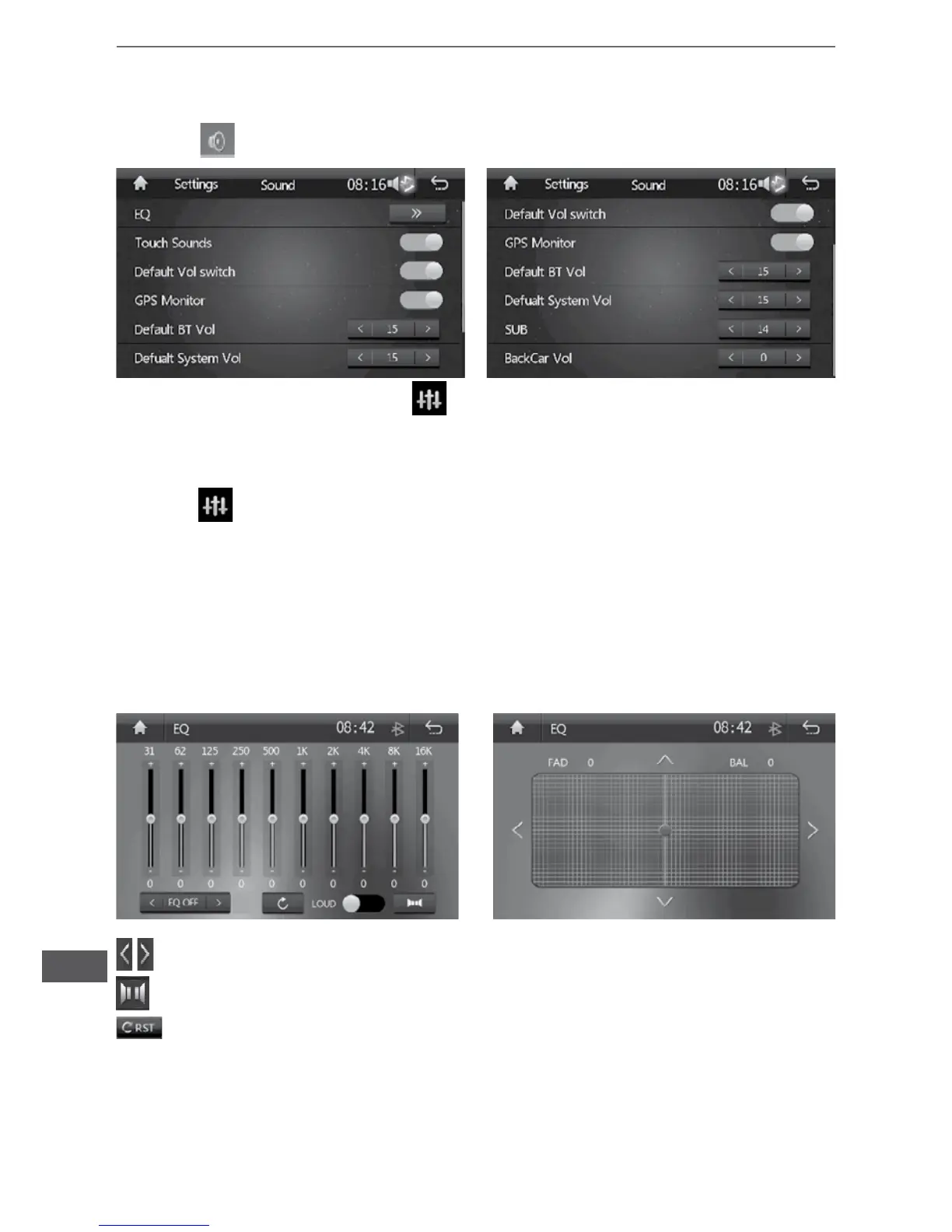
Sound setting
• Touch to enter sound setting interface.
• Sound effect: click the sound effect
icon to enter sound effect setting.
Sound effect setting menu operation
• Press icon to enter sound effect menu.
• Sound effect menu is provided with time section EQ so that adjustment may be made through
corresponding slide.
• The pre-set mode of sound effect menu includes user / rock / popular / site / dance music /
classic / soft
• ForeveryEQmodeinsoundeffectmenu,neadjustmentmaybeconductedforEQofevery
section according to the need.
• To restore original EQ mode in sound effect menu, touch resetting button for recovery.
• Touch equal loudness button in sound effect menu for operation of equal sound switch.
Switch EQ mode
Entersoundeldsettingmenu
Reset EQ
Insoundeldmenu,conductfront,back,left
and right balance adjustment with up / down /
left / right buttons.


 To Next Page