Rev L —
Calcite pH Neutralizer
© 2019 Enviro Water Solutions, Inc.
3060 Performance Circle, Suite 2, DeLand, FL 32724
Page 10
IMPORTANT!
You will need to manually regenerate (Regen Now) your system prior to use. To do so follow the
programming below. You will not be able to use water for 20 minutes during
this process.
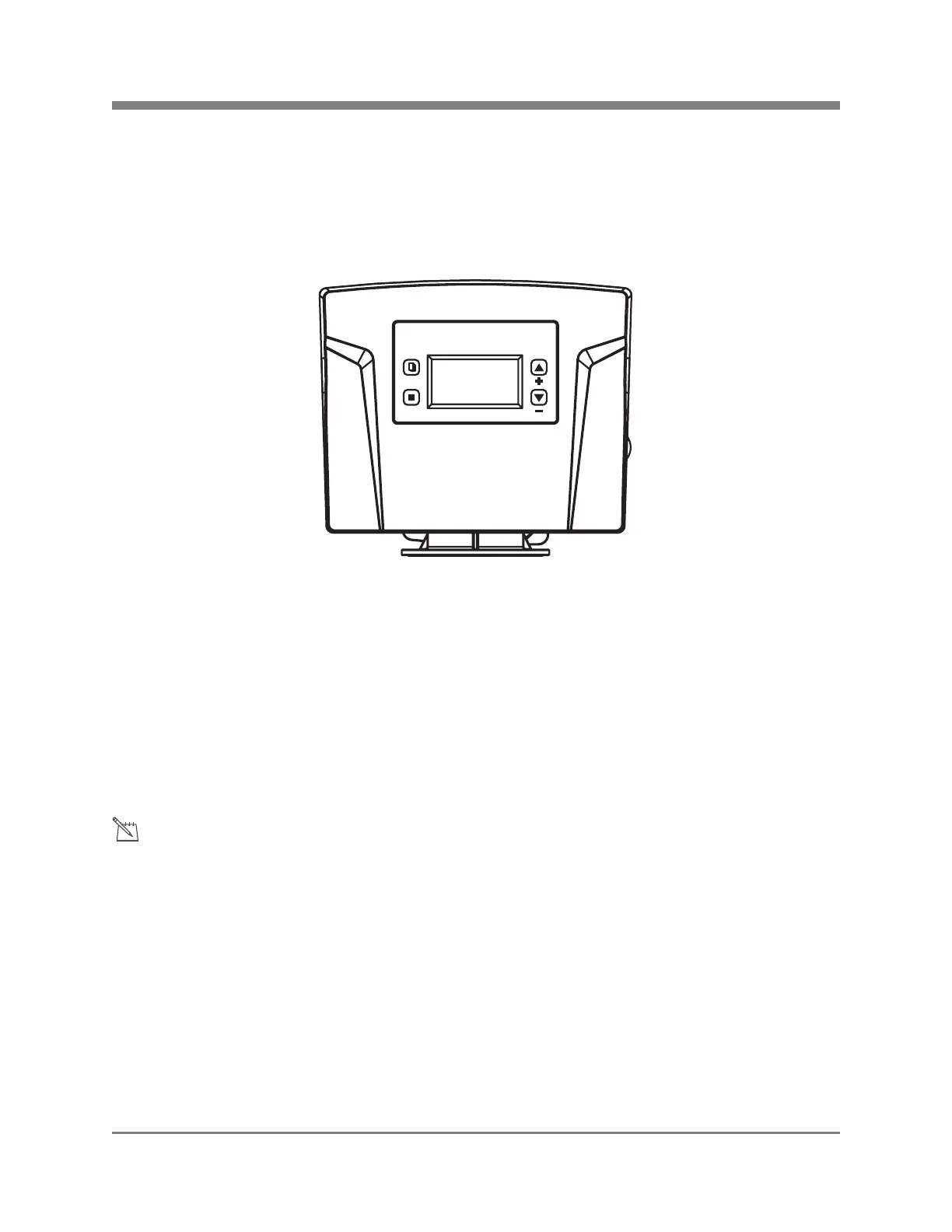
1. Using the DOWN button select Manual Regen and press SET.
2. Using the UP or DOWN button select either Regen Now or Regen Tonight.
-Regen Now will start a regeneration process immediately.
-Regen Tonight will regenerate the system at the default regeneration time of 2:00am.
3. Once selected press the SET button to confirm. Gears will make noise and water will start to
flow. Allow the system to regenerate for approximately 20 minutes.
4. Once complete press the MENU button to return to the main menu.
5. Your programming is now complete.
1. P
r
ess and hold
the M
ENU
but
ton
until
you
hear
the
beep
to unlock.
2. Press
MENU button for menu.
3.
Press
SET
once Date
& Time Setting
is highlighted.
4.
Using the UP
and DOWN
buttons
input the
correct
Date
and Time pressing SET after each input.
5. Once set press the MENU button to return to the main menu.
Programming the
Electronic Head
Note: Power Sour
ce - For safet
y reasons t
he outlet must
be protected by
a
Ground Fault
Circuit
Interrupter (GFCI).
Your system is
pre-set to regenerate every 3 days at 2:00 am, the complete process takes 20 minutes
In the event of spikes in Iron
and Manganese levels you may choose to manually regenerate your
system if you experience colored water from your system.
Step 2: Performing a Manual Regeneration
Notice:
Step 1: Setting the Date & Time
MENU
SET
(877) 842-1635
PelicanWater.com


 To Next Page