D:2 Pairing with another Bluetooth device
• Establish the Bluetooth link between the headset and another Blue-
tooth device by pressing the raise volume (+) and lower volume (-)
buttons simultaneously for at least two seconds. Note that the head-
set must be switched off while you do this!
An audible tone will indicate when pairing has been successful, after
which the headset is switched on and communication across the
Bluetooth link will be possible. If pairing is not successful within three
minutes, the headset is switched off automatically.
Pairing data from eight Bluetooth devices can be stored in the headset,
and you can switch between them by disconnecting from one device
and activating the connection from another device. For example: Switch
off a linked adapter and connect to a mobile phone by using its menu
to establish pairing. To reconnect to the adapter, disconnect from the
mobile phone by using its menu again and then switch on the adapter.
If there are a lot of Bluetooth users nearby, you may have to pair the
devices again to re-establish the link. Try again!
If the unit is paired with a Bluetooth
®
telephone, the display on the
phone will normally show which device or devices are linked to it and
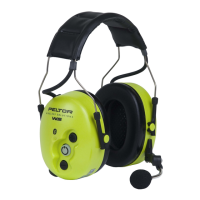
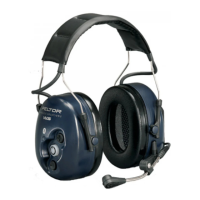
within range. Pairing with a Peltor WS headset is conrmed by the text
“Peltor WS” on the mobile phone’s display.
NOTE: Some models of mobile phone require a pin code in order for
the mobile phone to identify the headset. If this is required, enter four
zeroes (0000). This applies to all Peltor WS headsets and cannot be
changed by the user.
D3 Replying to a call from a communication radio connected via
the Bluetooth adapter
You can transmit by pressing the PTT (Push-to-Talk) button, but only
when the headset is linked to a communication radio via a Peltor WS
adapter.
• Press and hold the PTT button (7.4) to transmit using the communi-
cation radio, and release it completely to receive.
NOTE: For maximum noise compensation, the microphone on the
headset must be positioned 3–5 mm from your lips.
D4 Voice-activated transmission (VOX)
Voice-activated transmission is possible when the headset is connected
to a communication radio via a Peltor WS adapter. The voice activation
feature is built into the adapter.
• Briey press the PTT button (7.4) twice in rapid succession while
receiving. Two audible tones will conrm the command (after around
a second’s delay, since conrmation comes from the adapter).
• Briey press the PTT button (7.4) again while receiving in order to
end voice-activated transmission via the communication radio. A long
audible tone will conrm the change.
The voice-activated transmission setting will last for up to two hours,
even outside radio range, but will be cancelled if the headset is switched
off.
NOTE: For maximum noise compensation, the microphone on the
headset must be positioned 3–5 mm from your lips.



 To Next Page