PressureMAT User Guide
Revision 1
Page 10/29
1.2.3. Software Details
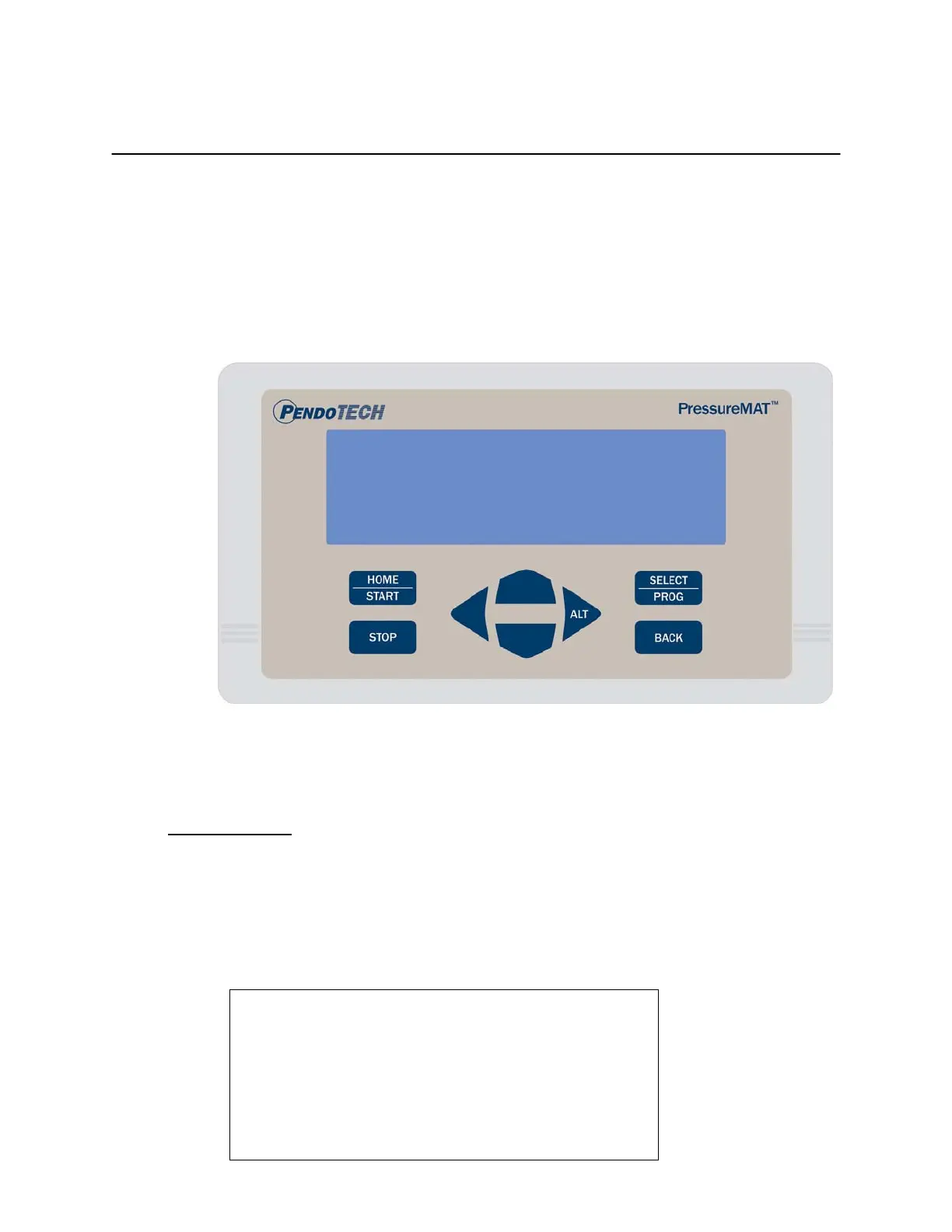
The software interface consists of the keypad (shown below) and the 8 line LCD backlit
display. The program/firmware is stored in memory in the control system and cannot be edited
by users. Only settings in the software menus can be changed. The system does not store any
data.
There is no power switch so the system cannot be accidentally turned off. When the wall
power supply is connected to the system and plugged into a wall outlet, the welcome screen
will appear momentarily followed by 2 beeps then the HOME screen will appear.
Home Screen
When the system is powered on, the following HOME screen appears after the welcome screen
with pressures 1 through 4 shown depending on the model number
(with X.XX bar or XX.X psi as designated):
HOME Screen:
1 Pressure . . . . . . 0.0 psi
2 Pressure . . . . . . 0.0 psi
3 Pressure . . . . . . 0.0 psi
4 Pressure . . . . . . 0.0 psi


 To Next Page