Need help?
Do you have a question about the Penpower Technology WorldPenScan and is the answer not in the manual?
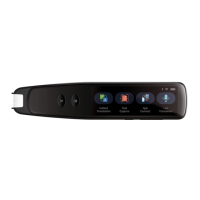
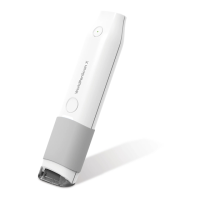
General overview of WorldPenScan, its function, and ergonomic design.
Lists key features like multi-language recognition, automatic tilt calibration, and online translation.
Lists hardware and software prerequisites for installing and running WorldPenScan.
Details the physical dimensions and weight of the WorldPenScan device.
Step-by-step guide for installing the WorldPenScan software from the CD.
Procedure for installing the necessary device drivers for WorldPenScan.
Instructions on how to start the WorldPenScan application and its initial setup.
Overview of the main toolbar icons and their functions like Language Recognition and Scan Mode.
Explains the Sentence Scan and Word Scan modes for text recognition.
Describes the popup interface features for corrections, candidates, and translation.
Details how to use the online translation feature with various websites.
Instructions on how to view and save scanned images for technique improvement.
Configuration options for general, recognition, online translation, and interface language.
How to start and use the voice reader function for text-to-speech.
Adjusting speech speed, pitch, and volume for the voice reader.
Procedure to close the Penpower Voice Reader application.
How to launch the Penpower Translator software for language translation.
Using the English-Chinese dictionary to look up English words and their explanations.
Using the Chinese-English dictionary to look up Chinese characters and their explanations.
Utilizing the English phrasal dictionary for translation of phrases.
Utilizing the Chinese phrasal dictionary for translation of phrases.
Inputting scanned text and phrases for translation with the software.
A comprehensive list of all languages the WorldPenScan can recognize.
 General
| Scanning Method | Optical Character Recognition (OCR) |
|---|---|
| Connectivity | USB |
| Type | Handheld |
| Compatibility | Windows, Mac |
| Supported Languages | Multiple languages including English |

 To Next Page