EasyManua.ls Logo

Pentair triton TR 100HD - User Manual

Pentair triton TR 100HD
84 pages
Print Icon
To Next Page IconTo Next Page
Loading...
IMPORTANT SAFETY INSTRUCTIONS
READ AND FOLLOW ALL INSTRUCTIONS
SAVE THESE INSTRUCTIONS
Triton
®
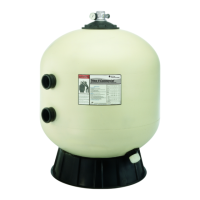
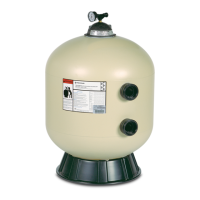
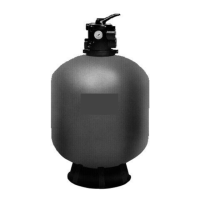
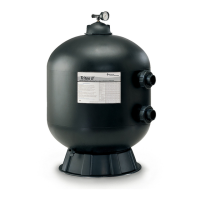
Fiberglass Sand Filters
Models:
TR 40, TR 50, TR 60, TR 100, TR 140
TR 100HD, TR 100C, TR 140C
TR 100C-3, TR 140C-3 and
Installation & User's Guide
Triton II - Residential
Triton HD - Commercial
Triton C - Commercial
Triton C-3 - Commercial
Model: TR 60 with

Questions and Answers

  • L
    Lee FuentesAug 12, 2025
    What to do if my Pentair Water Filtration System has high filter pressure?
    • T
      Tara WilliamsAug 12, 2025
      High filter pressure in your Pentair Water Filtration System can be due to several reasons. Insufficient backwashing is a common cause, so backwash until the effluent runs clear. Another reason could be the sand bed being plugged with mineral deposits, which requires chemically cleaning the filter. Lastly, a partially closed valve can cause high pressure; open the valve or remove any obstruction in the return line.
  • P
    Pamela GuerraAug 16, 2025
    What to do if Pentair Water Filtration System return flow to pool diminished, low filter pressure?
    • T
      Tyler MartinezAug 16, 2025
      A diminished return flow to the pool and low filter pressure in your Pentair Water Filtration System can stem from a few issues. First, check for obstructions in the pump hair and lint strainer and clean the basket. Second, inspect the pump itself for obstructions, disassembling and cleaning it as needed. Finally, check the suction line to the pump for any blockages; clean the skimmer basket, remove any obstructions in the lines, and ensure all valves in the suction line are open.
  • S
    Sydney NolanAug 19, 2025
    How to fix sand loss to waste in Pentair Water Filtration System?
    • H
      hilltimothyAug 20, 2025
      Sand loss to waste in your Pentair Water Filtration System can occur for several reasons. It could be due to a backwash rate that is too high, in which case you should reduce the backwash flow rate. Another reason might be an improper sand size, requiring you to change to the proper sand. Additionally, a damaged or missing air strainer can cause sand loss, so replace any damaged components.
  • A
    Andrea SheltonAug 25, 2025
    Why is my Pentair Water Filtration System pool water not sufficiently clean?
    • F
      Frances JonesAug 25, 2025
      The pool water might not be sufficiently clean because the pool chemistry isn't adequate to inhibit algae growth. Maintain proper pool chemistry, or consult a pool service technician. It could also be due to too frequent backwash cycles; allow the pressure to build to 10 psi above the clean filter condition before backwashing. Other potential causes include an improper amount or wrong sand size, which requires checking the sand bed Freeboard and sand size or consulting a technician. Finally, an inadequate turnover rate could be the issue, in which case you should run the system for a longer time or consult a dealer or service technician.
  • J
    James WagnerAug 27, 2025
    What causes short cycles in Pentair Water Filtration Systems?
    • M
      margaret89Aug 27, 2025
      Short cycles in your Pentair Water Filtration System can be caused by several factors. One cause is improper backwash, so ensure you backwash until the effluent runs clear. Another cause is pool chemistry not adequate to inhibit algae growth, so maintain proper pool chemistry or consult a pool service technician. A plugged sand bed can also lead to short cycles; manually remove the top 1" surface of the sand bed, replace it with new sand, and chemically clean the entire sand bed. Lastly, a flow rate that is too high can cause short cycles, so restrict the flow to the filter's capacity.
  • S
    scott71Aug 31, 2025
    Why is sand returning to the pool from my Pentair Water Filtration System?
    • A
      andersonelaineAug 31, 2025
      Sand returning to the pool from your Pentair Water Filtration System is likely due to a broken under drain lateral. To resolve this, replace the broken or damaged laterals.
  • T
    Tyler DanielsSep 3, 2025
    How to repair a leak at the closure of Pentair Water Filtration System?
    • M
      Melanie WhiteSep 3, 2025
      To address a leak at the closure of your Pentair Water Filtration System: * First, shut off the pump, relieve tank pressure, and open the air bleeder, then tighten the closure properly. * If the leak persists, dirt or contamination might be on the sealing surface; in this case, repeat the initial steps, remove the closure, and clean all sealing surfaces before reassembling the closure properly. * Lastly, if there is still a leak, a damaged part may be the cause. Repeat the first steps, and replace any damaged o-rings, the closure, the tank, or any combination of parts as needed.
  • K
    Kelsey JohnsonSep 8, 2025
    How do I fix a leak at the bulkhead of my Pentair Water Filtration System?
    • H
      hernandezmarkSep 8, 2025
      To fix a leak at the bulkhead of your Pentair Water Filtration System: * First, shut off the pump, relieve tank pressure, and open the air bleeder. Then, remove the closure and remove sand to access the leaking bulkhead on TR40, 50, 60, TR60 ClearPro, 100, 100C, 140 or 140C. Hold the 2” bulkhead and tighten the 2” internal locknut. * If the leak persists, dirt or contamination might be on the sealing surfaces; in this case, repeat the initial steps, remove the closure, and remove sand to access the leaking bulkhead. * Lastly, if there is still a leak, a damaged part may be the cause. Repeat the first steps, and replace the damaged part or combination of parts.

Summary

Triton Fiberglass Sand Filters

Triton II Sand Filters

Overview of Triton II sand filters, highlighting industry-leading status and efficient internal design.

Triton C & C-3 Commercial Filters

Describes Triton C/C-3 commercial series, noting features for increased filtration rates.

Triton HD Side Mount Filters

Explains Triton HD filters, highlighting performance and higher operating pressure for specialized uses.

Customer Service Information

Service & Technical Support Contact

Contact details for customer service and technical support, including phone numbers and hours.

Regional Service Locations & Websites

Contact details for NC/CA offices and website addresses for product information.

Important Safety Precautions

General Safety Notices and Warnings

Covers installation/operation notices, installer/user responsibilities, and general warnings.

High Pressure Operation Hazards

Details risks of pressurized air and top closure separation, with specific safety instructions.

Important Safety Precautions (continued)

Installation & Operation Safety Warnings

Addresses electrical safety, reading instructions, child supervision, pressure testing, closure, and pressure limits.

Section 1: Introduction

Triton Filter Series Overview

Overview of Triton Fiberglass Sand Filters and their industry reputation.

Triton II Filter Features

Details Triton II features, emphasizing design for effectiveness and low maintenance.

Triton Commercial Filter Features

Describes commercial series features for increased filtration rates.

Triton HD Filter Features

Explains Triton HD filters, highlighting performance and higher operating pressure.

General Features

Triton II Specific Features

Lists key Triton II features including internal design and GlasLok™ process.

Triton C;C-3 Specific Features

Details Triton C/C-3 features like operating pressure and connection types.

Triton HD Specific Features

States the Maximum Operating Pressure for Triton HD models.

Common Additional Features

Lists features like combination drains, threaded parts, swing-away diffusers, and NSF-Listing.

Section 2: Installation

Installing the Triton Fiberglass Sand Filter

Emphasizes installation by qualified personnel due to pressure operation hazards.

How your Triton Filter Works

Explains water flow and filtration process within the Triton filter.

Section 2: Installation (continued)

Filter Installation Safety Warnings

Warnings on air vent positioning and various closure types during installation.

Closure Installation Procedures

Specific safety and procedural advice for installing threaded and oval closures.

Section 2: Installation (continued)

Filter Assembly and Piping Guidance

Instructions for assembling pressure gauge, bleeder valve, closure, and piping, plus sealant advice.

Section 3: Maintenance

Filter Care Guidelines

General guidelines for maintaining the filter's exterior and internal components for longevity.

Cleaning Frequency Determination

Explains when to backwash and provides methods to determine necessity.

Section 3: Maintenance (continued)

Filter Care and Inspection Procedures

Details exterior cleaning, internal maintenance, closure inspection, and restart procedures.

Backwash Trigger Indicators

Describes three methods to determine when backwashing is needed: flow meter, visual flow, pressure gauge.

Filter Backwash Procedure

Step-by-Step Backwash Guide

Detailed instructions for performing filter backwash, including valve positions and pump operation.

Chemical Cleaning Procedure

Chemical Cleaning Process

Outlines process for chemically cleaning sand bed, including cleaner prep and soaking.

Winterizing your Filter

Winterization Steps

Instructions for preparing filter for winter, including backwashing and draining.

Section 4: Troubleshooting

Common Filter Problems and Solutions

Presents common problems like poor water quality, high pressure, short cycles with causes and remedies.

Section 4: Troubleshooting (continued)

Specific Troubleshooting Scenarios

Addresses low flow, sand returning, and leaks at closure or bulkhead.

Section 5: Replacement Parts

Pressure Drop Curve Analysis

Graph illustrating pressure drop vs. flow rate for Triton filter models.

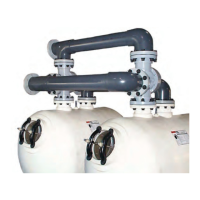
Tandem Filter Piping Kit Installation

Recommendations and cautions for tandem filter piping kits for multiple filter installations.

Triton II & HD Fiberglass Sand Filter Replacement Parts

Parts Identification - Triton II & HD

Identifies Triton II and HD replacement parts using diagrams and item numbers.

Triton II & HD Fiberglass Sand Filter Replacement Parts

Detailed Parts List - Triton II & HD

Provides detailed part numbers and descriptions for Triton II and HD filters.

Triton II & HD Fiberglass Sand Filter Replacement Parts

Additional Parts - Triton II & HD

Continues list of part numbers and descriptions for Triton II and HD filters.

Triton 100 C & 140 C Fiberglass Sand Filter Replacement Parts

Parts Identification - Triton 100 C & 140 C

Identifies Triton 100C & 140C replacement parts using diagrams and item numbers.

Triton 100 C & 140 C Fiberglass Sand Filter Replacement Parts

Detailed Parts List - Triton 100 C & 140 C

Provides detailed part numbers and descriptions for Triton 100C & 140C filters.

Triton 100 C-3 & 140 C-3 Fiberglass Sand Filter Replacement Parts

Parts Identification - Triton 100 C-3 & 140 C-3

Identifies Triton 100C-3 & 140C-3 replacement parts using diagrams and item numbers.

Triton 100 C-3 & 140 C-3 Fiberglass Sand Filter Replacement Parts

Detailed Parts List - Triton 100 C-3 & 140 C-3

Provides detailed part numbers and descriptions for Triton 100C-3 & 140C-3 filters.

Pentair triton TR 100HD Specifications

General IconGeneral
ManufacturerPentair
ModelTriton TR 100HD
Tank MaterialFiberglass
Brine Tank CapacityNot Applicable
Tank Size10 x 54 inches
Backwash Flow Rate5 GPM
Warranty1 year

Related product manuals