EasyManua.ls Logo

Pentax 645 - Metered Manual Mode.42-43

Pentax 645
75 pages
Print Icon
To Next Page IconTo Next Page
To Previous Page IconTo Previous Page
Loading...
METERED
MANUAL
MODE
Metered
manual
Proper
exposure
is
obtained
by
adjusting
the
shutter
speed
and
f/stop
according
to
the
exposure
meter
indications
visible
in
the
viewfinder.
Utilizing
this
mode,
the
photographer
is
able
to
control
the
exposure
value
{over/under
exposure)
as
may
be
required
for
his
photographic
purposes.
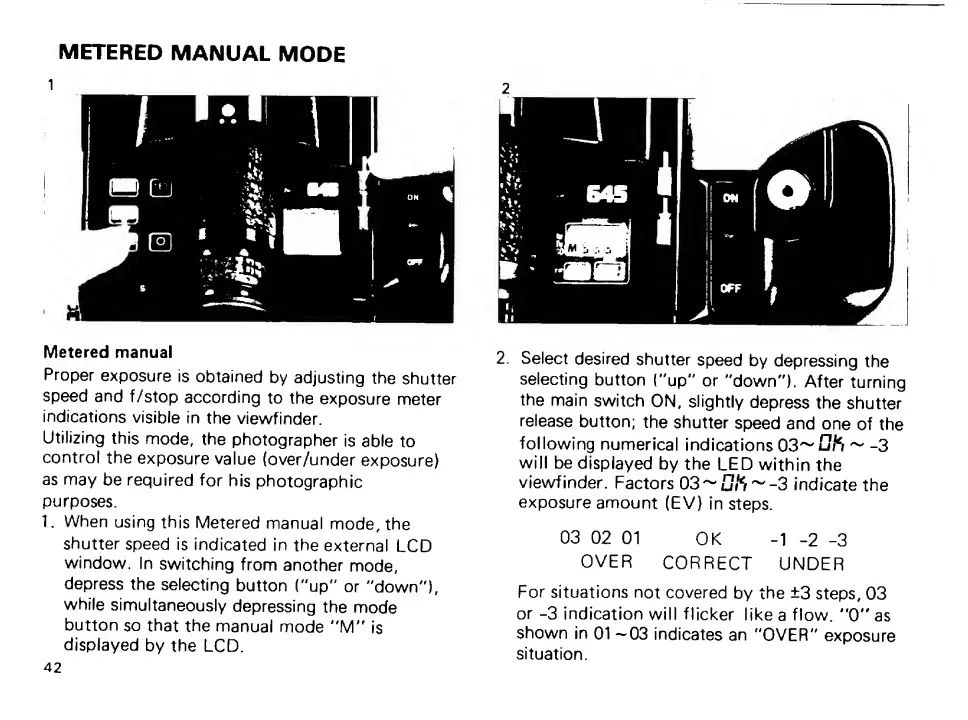
1.
When
using
this
Metered
manual
mode,
the
shutter
speed
is
indicated
in
the
external
LCD
window.
In
switching
from
another
mode,
depress
the
selecting
button
("up"
or
"down"),
while
simultaneously
depressing
the
mode
button
so
that
the
manual
mode
"'M"
is
displayed
by
the
LCD.
42
2.
Select
desired
shutter
speed
by
depressing
the
selecting
button
("up"
or
"down").
After
turning
the
main
switch
ON,
slightly
depress
the
shutter
release
button;
the
shutter
speed
and
one
of
the
following
numerical
indications
~
-3
will
be
displayed
by
the
LED
within
the
viewfinder.
Factors
03^u#S~-3
indicate
the
exposure
amount
(EV)
in
steps.
03
02
01
OK
-1
-2
-3
OVER
CORRECT
UNDER
For
situations
not
covered
by
the
±3
steps,
03
or
-3
indication
will
flicker
like
a
flow.
"0"
as
shown
in
01
—03
indicates
an
"OVER"
exposure
situation.

Other manuals for Pentax 645

Related product manuals