33
■ Procedure
Turn on the camera.
Set the exposure mode other than the
Programmed AE.
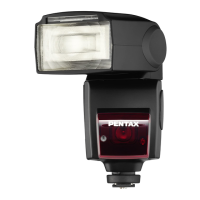
Attach the flash unit to the camera's hot shoe
and turn it on.
Set the sync mode switch to high-speed sync
[].
• The flash will be set to High-speed-sync mode
and [ ] will be shown on the LCD panel
only when the shutter speed exceeds X-sync
speed.
To set exposure compensation, press the [S]
button so that [0.0] blinks. Then turn the
adjustment dial to set the exposure
compensation amount. Press the [S] button
again to stop the blinking.
The exposure compensation amount can be
set from +1.0 to -3.0 stops in 0.5-stop
increments.
Set the flash zoom position to match the lens
focal length.
With an autofocus lens, the [A.Zoom] mode will
set it automatically. With other lenses, use the
ZOOM button in the [M.Zoom] mode to set the
zoom position.
Check the flash range by looking at the bar
graph on the LCD panel.
Check that the flash is ready, then take the
picture.
• Please read the camera operating manual for
camera operation.
• High-speed sync is possible with the camera
separated from the AF360GZ (wireless). (Refer
to page 44)
32
When the AF360FGZ is used with the *ist, MZ-S,
MZ-L/MZ-6/ZX-L, shutter speeds faster than X-sync
speed will still enable flash synchronization. Since
there is no sync speed limitation, high-speed sync is
effective for fill-flash in daylight.
• High-speed sync mode will be P-TTL auto
flash.
• As can be seen in the table on page 34, as the
shutter speed becomes higher, the guide
number becomes smaller. Accordingly, it
should be noted that the distance for taking
pictures would become shorter.
HIGH-SPEED SYNC MODE
LIGHT
ZOOM
READY
TEST
FORMAT
CH.
MODELING
HS
OFF
ON
SYNC.
WIRELESS
W
MCS
MODE
FORM
AT
WIRELESS
W
S
A.Zoom
0.7 1 1.5 2 3 4 6 8 12 16 22m
2.3 5 10 20 40 70ft
mm
P-TTL
35mm
HS
1
2
3
4
6
7
5
7
5
4
3
2
PENTAX AF360 FGZ/1 BODY 4/15/03 11:26 AM Page 32



 To Next Page