- 9 -
6.3.
2. Pump adjustment (necessary when the pump unit or Process board was replaced)
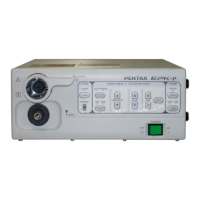
1) Connect the air outlet of the EPK-p to the air flow meter with the tube ST-7022 as shown in Photo-7.
Caution: Confirm if there is no air leakage in the air route from the pump to the meter. If the adjustment is
continued without perceiving the leakage, it may overload the pump.
2) Turn on the power of the EPK-p and enter the key command “Ctrl + Alt + Shift + P” with the key board
to show “Pump Level” menu on the monitor. Refer to Fig-3 below.
3) Press “PUMP” button on the front panel to turn on the pump.
4) Press “PUMP POWER” button repeatedly until the pump level “Low” is selected.
5) Press the down arrow key to select the pump level “Low” identified by the triangle mark in the menu.
6) Press the left or right-pointing arrow key so that the air flow value indicated on the flow meter attains
2.5±0.1L/min.
7) Press “PUMP POWER” button repeatedly until the pump level “High” is selected.
8) Press the up arrow key to select the pump level “High” identified by the triangle mark in the menu.
9) Press the left or right-pointing arrow key so that the air flow value indicated on the flow meter attains
4.5±0.1L/min.
10) Turn off the power of the unit and wait for 30 seconds, and then turn on the power again.
11) Confirm if the air flow values at “High” and “Low” level have been adjusted to the specified values.
12) Change the connection of the air outlet from the flow meter to the air pressure meter.
13) Measure and record the air pressure values at both “High” and “Low” level.
14) Detach the air pressure meter, jumper pins set at “Preparation” and close the outer cover.
15) Perform the electrical safety tests.
Photo-7 Air flow & pressure meter
Air pressure mete
Flow meter
Air outlet of EPK-p
ST-7022
Pump Level
High> 193
Low> 144
Fig-3 Pump Level menu


 To Next Page