EasyManua.ls Logo

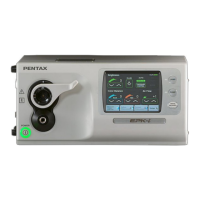
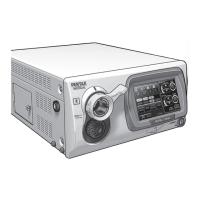
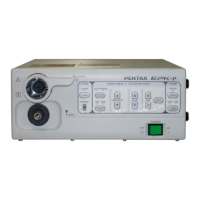
Pentax EPK-P - Service Manual

Pentax EPK-P
15 pages
Print Icon
To Next Page IconTo Next Page
Loading...
SERVICE MANUAL
(Version 00)
High cost performance Video Processor
PENTAX EPK-p (type-C)
MNL-049-00 / September 4, 2009

Other manuals for Pentax EPK-P

Questions and Answers

  • M
    Megan GrahamSep 8, 2025
    What to do if Pentax Media Converter displays 'W/B Failed Please Retry'?
    • K
      katiegibbsSep 9, 2025
      If the Pentax Media Converter displays 'W/B Failed Please Retry', it indicates that the white balance is incorrect. Set the white balance again.
  • W
    williamsjasonAug 23, 2025
    What to do if Pentax Media Converter lamp won’t be switched?
    • F
      fhughesAug 23, 2025
      If the lamp on your Pentax Media Converter won’t switch, check the connections related to the parts in the Wiring diagram. Also, verify that the lamps are correctly held in the holder; if not, the rotation disk may be stuck.
  • G
    gordonerinAug 25, 2025
    What to do if Pentax Media Converter displays 'Please replace the lamp 1'?
    • M
      Michael HodgeAug 25, 2025
      If the message 'Please replace the lamp 1' is displayed, replace lamp 1 or lamp 2.
  • A
    Alexandra MartinezAug 27, 2025
    What to do if Pentax Media Converter displays 'Lamp Error Please close Lamp Door'?
    • J
      Jessica DavisAug 27, 2025
      If the Pentax Media Converter displays 'Lamp Error Please close Lamp Door', it means that the lamp housing cover is open. Close the lamp housing cover.
  • C
    cheryljohnsonAug 27, 2025
    What to do if Pentax Media Converter displays 'Please switch the lamp'?
    • M
      michelleroblesAug 27, 2025
      If the Pentax Media Converter displays 'Please switch the lamp', it means that the lamp has gone out during use. Switch to the spare lamp.
  • M
    Monique ShahSep 22, 2025
    What to do if Pentax Media Converter lamp selection switch does not switch the lamps?
    • P
      patrick99Sep 22, 2025
      If selecting a lamp with the selection switch does not switch the lamps, the selection device is broken. Contact our service personnel immediately. The lamps can be switched manually in an emergency.
  • B
    Brianna McmahonSep 16, 2025
    How to resolve long beep and COPY/VTR function failure on Pentax Media Converter?
    • D
      Danny NicholsSep 16, 2025
      If you hear a long beep tone and the COPY and VTR functions are not working, the scope switch menu settings may not be configured properly, or the PC or a peripheral device is not connected properly. Try these steps: 1. Change the COPY/VTR function settings in the scope switch menu and remove the selection for any unused or turned-off peripheral device. 2. Connect the PC and peripheral devices properly and turn them on. 3. If the capture function is selected and enabled, ensure that the Image Capture Software (OS-I1) is working properly.
  • E
    Elizabeth GutierrezSep 18, 2025
    What to do if Pentax Media Converter displays 'Connected Scope is not Compatible with this Processor Please Contact with your Distributor'?
    • S
      Sally HendersonSep 18, 2025
      If the Pentax Media Converter displays 'Connected Scope is not Compatible with this Processor Please Contact with your Distributor', it means that the scope is not compatible. Use a K-series scope.
  • F
    fthompsonSep 7, 2025
    What to do if Pentax Media Converter displays 'Scope is not Connected'?
    • K
      kara34Sep 7, 2025
      If the Pentax Media Converter displays 'Scope is not Connected', it means that the scope is not attached. Attach the scope.
  • C
    Cynthia RodriguezSep 4, 2025
    What to do if Pentax Media Converter images are black and white?
    • E
      Erik RobertsSep 4, 2025
      If the images are black and white, the lamp may not be lit. Press the 'c' button on the front panel to turn on the lamp.

Summary

Specifications

General Explanations

Functions

Configuration

Important Precautions

Service Procedures

Lamp Replacement

Step-by-step guide for replacing the halogen lamp bulbs in the unit.

Lamp Harness Replacement

Instructions for connecting the lamp harnesses to the power supply terminals.

Electrical Adjustments

Iris Adjustment

Detailed steps for adjusting the iris position for proper image control.

Pump Adjustment

Procedure for calibrating the air pump flow rate for optimal performance.

Electrical Safety Tests

Dielectric Strength Test

Methodology for performing the dielectric strength test on the EPK-p.

Protective Earthing Resistance

Procedure to measure and verify protective earthing circuit resistance.

Leakage Current Test

Instructions and criteria for conducting leakage current tests on the unit.

Troubleshooting

Wiring Diagram

Pentax EPK-P Specifications

General IconGeneral
BrandPentax
ModelEPK-P
CategoryMedia Converter
LanguageEnglish

Related product manuals