EasyManua.ls Logo

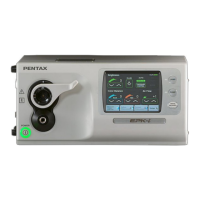
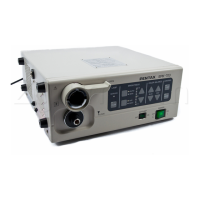
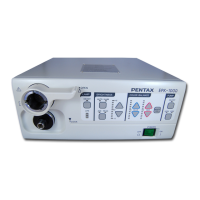
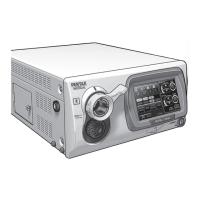
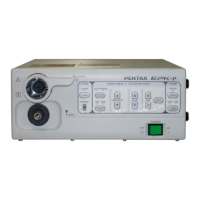
Pentax EPK-P - Service Manual

Pentax EPK-P
15 pages
Print Icon
To Next Page IconTo Next Page
Loading...
SERVICE MANUAL
(Version 00)
High cost performance Video Processor
PENTAX EPK-p (type-C)
MNL-049-00 / September 4, 2009

Other manuals for Pentax EPK-P

Questions and Answers

  • D
    Donald HicksAug 21, 2025
    What to do if Pentax EPK-P lamp does not light?
    • L
      lauragutierrezAug 22, 2025
      If the lamp on your Pentax Media Converter isn't lighting, consider these steps: * If the message “Please replace the lamp 1 ( or lamp 2)” appears on the monitor, replace the lamp. * Ensure the lamp house lid is completely closed. If it is, try depressing the switch directly; if it still fails, adjust the switch's position. If the problem persists, check the connection between the switch and the Process board (E700), or the switch itself may be defective. * Verify that B510 (White) is connected to Lamp1 and B511 (Black) to Lamp2. Incorrect connections can cause the light to be misaligned. * Measure the output voltage at terminal TB1 on the power supply unit. It should be +12VDC between terminals 1 and 3 or 2 and 4. * Ensure all fans are functioning correctly.
  • C
    Cynthia RodriguezSep 4, 2025
    What to do if Pentax Media Converter images are black and white?
    • E
      Erik RobertsSep 4, 2025
      If the images are black and white, the lamp may not be lit. Press the 'c' button on the front panel to turn on the lamp.
  • M
    Michelle JohnsonSep 2, 2025
    What to do if no image appears on Pentax Media Converter monitor?
    • D
      douglaswilliamsSep 3, 2025
      If no image appears on the monitor, several factors could be at play. First, ensure the monitor is turned on and the proper video input signal is selected. Try resetting the adjustment values for the monitor. Also, verify that all cables are connected properly and, if applicable, the scope locking lever is in the LOCK position. Finally, check that the lamp is lit; if not, press 'c' on the front panel to turn it on.
  • J
    Jorge DavisSep 1, 2025
    How to troubleshoot no image displayed on Pentax EPK-P?
    • B
      Betty HernandezSep 1, 2025
      To troubleshoot a 'no image' issue on your Pentax Media Converter, first, check the image with another scope. Also, check if the scope wire for the image signal is firmly connected to CN2 on the Process board. If characters are also not displayed, the Process board may be defective.
  • L
    Laura NelsonAug 30, 2025
    What to do if Pentax Media Converter iris does not work?
    • D
      David BurtonAug 31, 2025
      If the iris on your Pentax Media Converter isn't working, check the connection of the iris wire to CN7 on the Process board (E700). The iris motor itself may be defective. Also, check if the scope wire for the image signal is firmly connected to CN2 on the Process board. If the connection is good, the Process board may be malfunctioning.
  • V
    Victoria PetersenAug 29, 2025
    Why Pentax EPK-P power won’t turn on?
    • H
      Haley QuinnAug 29, 2025
      If your Pentax Media Converter's power won't turn on, there are several things to check: * Examine the fuses in the fuse box above the AC inlet. Replace any that are brown, and identify any parts causing excessive load by disconnecting them one by one. * Measure the AC voltage at the back of the switch when it's on. If there's no voltage, the switch is likely faulty. * If no LEDs light up on the front panel and the blower fan (FAN2) and unit fan (FAN3) aren't working, the DC power supply might be down or malfunctioning. * Verify the connection of the cable and front panel board, and replace if necessary.
  • C
    cheryljohnsonAug 27, 2025
    What to do if Pentax Media Converter displays 'Please switch the lamp'?
    • M
      michelleroblesAug 27, 2025
      If the Pentax Media Converter displays 'Please switch the lamp', it means that the lamp has gone out during use. Switch to the spare lamp.
  • A
    Alexandra MartinezAug 27, 2025
    What to do if Pentax Media Converter displays 'Lamp Error Please close Lamp Door'?
    • J
      Jessica DavisAug 27, 2025
      If the Pentax Media Converter displays 'Lamp Error Please close Lamp Door', it means that the lamp housing cover is open. Close the lamp housing cover.
  • G
    gordonerinAug 25, 2025
    What to do if Pentax Media Converter displays 'Please replace the lamp 1'?
    • M
      Michael HodgeAug 25, 2025
      If the message 'Please replace the lamp 1' is displayed, replace lamp 1 or lamp 2.
  • W
    williamsjasonAug 23, 2025
    What to do if Pentax Media Converter lamp won’t be switched?
    • F
      fhughesAug 23, 2025
      If the lamp on your Pentax Media Converter won’t switch, check the connections related to the parts in the Wiring diagram. Also, verify that the lamps are correctly held in the holder; if not, the rotation disk may be stuck.

Summary

Specifications

General Explanations

Functions

Configuration

Important Precautions

Service Procedures

Lamp Replacement

Step-by-step guide for replacing the halogen lamp bulbs in the unit.

Lamp Harness Replacement

Instructions for connecting the lamp harnesses to the power supply terminals.

Electrical Adjustments

Iris Adjustment

Detailed steps for adjusting the iris position for proper image control.

Pump Adjustment

Procedure for calibrating the air pump flow rate for optimal performance.

Electrical Safety Tests

Dielectric Strength Test

Methodology for performing the dielectric strength test on the EPK-p.

Protective Earthing Resistance

Procedure to measure and verify protective earthing circuit resistance.

Leakage Current Test

Instructions and criteria for conducting leakage current tests on the unit.

Troubleshooting

Wiring Diagram

Pentax EPK-P Specifications

General IconGeneral
BrandPentax
ModelEPK-P
CategoryMedia Converter
LanguageEnglish

Related product manuals