62
2
Common Operations
[W Setting] Menu
Vertical Snap
For choosing whether pictures can be taken using the 4
button and four-way controller with the camera held
vertically
p.82
Date Imprint
For choosing whether to imprint the date and/or time when
taking still pictures
p.120
• Use the 9 (Green) mode to enjoy easy picture-taking using standard
settings, regardless of the settings in the [A Rec. Mode] menu (p.76).
• Assigning frequently used functions to the Green button enables you
to go straight to the desired function (p.121).
Item Description Page
Sound
For adjusting the operation volume and playback
volume, and setting the start-up sound, shutter sound,
key operation sound and self-timer sound
p.189
Date Adjustment For adjusting the date and time p.190
World Time For setting the Hometown and Destination p.193
Language/
For setting the language in which menus and
messages appear
p.195
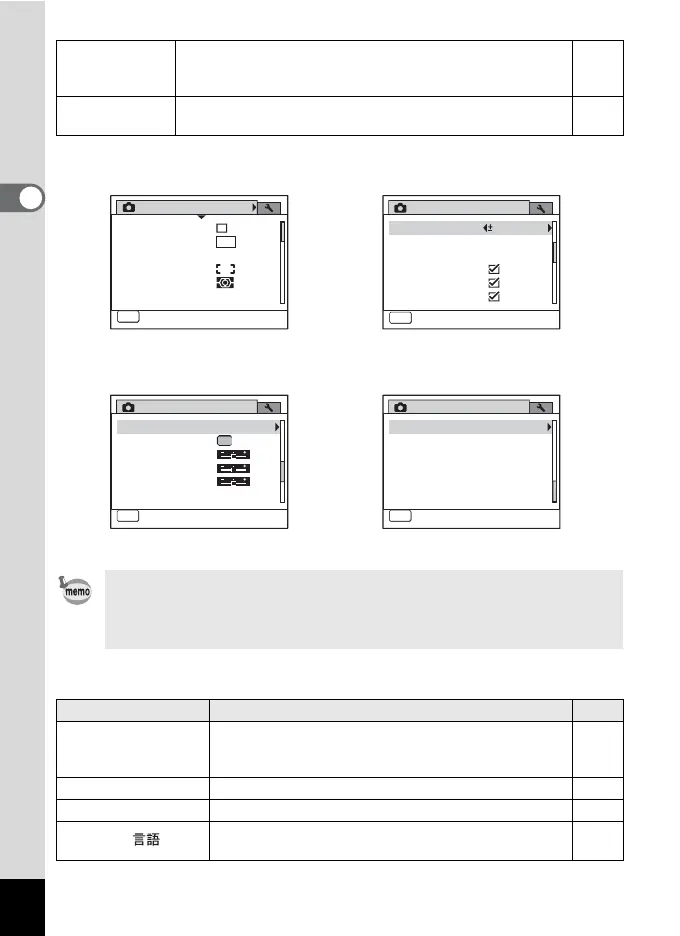
[A Rec. Mode] Menu 1
Rec. Mode
MENU
Exit
1/4
Recorded Pixels
Pixel Track SR
White Balance
AE Metering
Sensitivity
Focusing Area
12
M
AWB
Auto
[A Rec. Mode] Menu 2
Rec. Mode
Instant Review
MENU
Exit
2/4
Movie
D-Range Setting
Blink Detection
Digital Zoom
EV Compensation
0.0
[A Rec. Mode] Menu 3
Rec. Mode
Saturation
Vertical Snap
MENU
Exit
3/4
Sharpness
Contrast
Green Button
Memory
[A Rec. Mode] Menu 4
Rec. Mode
MENU
Exit
4/4
Date Imprint Off



 To Next Page