110
6
Playback/Deleting/Editing
Editing Images
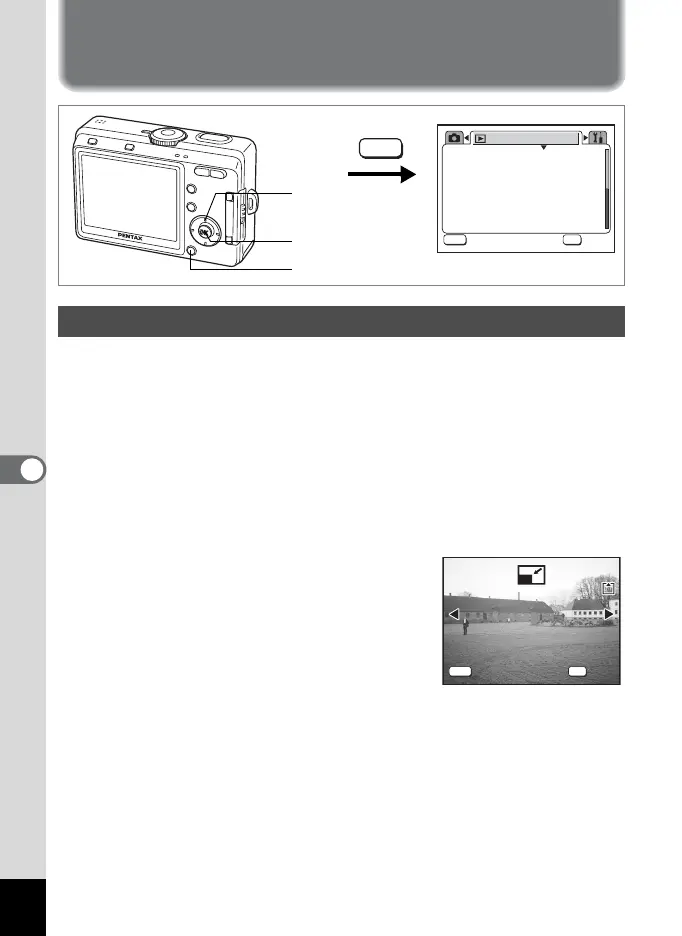
By changing the size and quality of a selected image, you can make the
file smaller than the original. You can use this function to continue taking
pictures when the SD Memory Card or the built-in memory is full, by
making the images smaller and overwriting the original images to make
more space available in the memory.
1 Press the MENU button in Playback mode.
The [Q Playback] menu appears.
2 Use the four-way controller (23) to select [Resize].
3 Press the four-way controller (5).
The Resize screen appears.
4 Use the four-way controller (45) to choose the image
to resize.
5 Press the OK button.
The screen for selecting the resolution and quality appears.
Changing the Image Size and Quality
3sec
Protect
DPOF
Slideshow
Resize
Image/Sound Copy
Digital Filter
Playback
MENU
OK
OK
OK
Exit
Exit
MENU
1
2, 3, 4, 6,
7, 8, 10
5, 9, 11
100-0001
100-0001
MENU
OK
OK
OK
Exit
Exit











 To Next Page