126
7
Settings
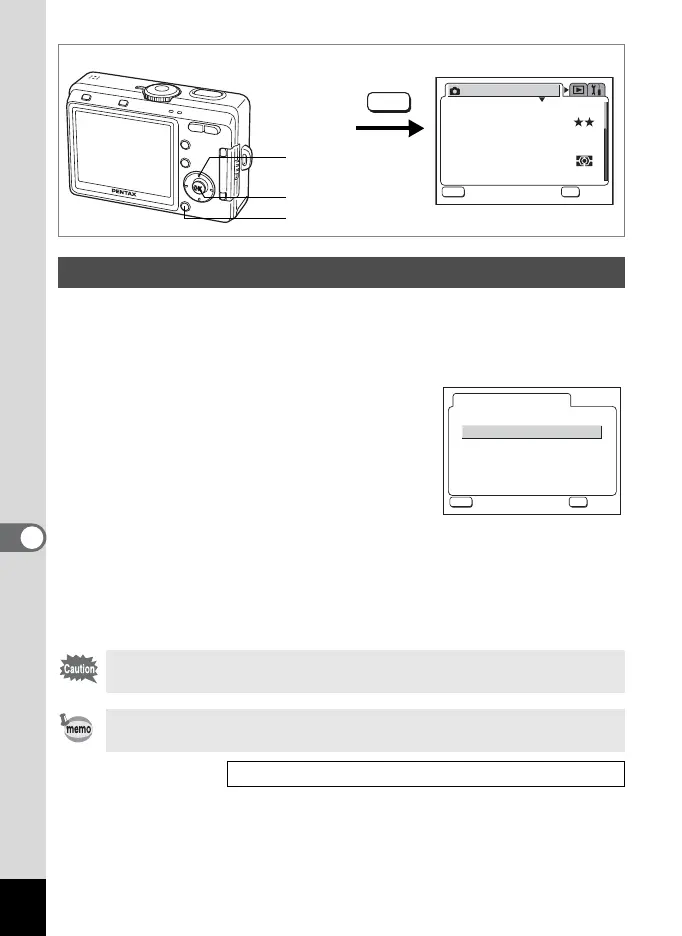
You can change the USB connection mode depending on whether the
USB cable is to be connected to a printer (PictBridge) or a computer.
1 Select [USB Connection] on the [B Set-up] menu.
2 Press the four-way controller (5).
The USB connection mode selection screen
appears.
3 Press the four-way controller
(23) to change the USB
connection mode.
For computers: PC
For printers: PictBridge
4 Press the OK button twice.
The camera is ready to be connected to the computer or printer.
Changing the USB Connection Mode
Do not connect the camera to your PC while [PictBridge] is selected for
the USB connection mode.
Refer to the “PC Connection Manual” for instructions on connecting the
camera to a printer or a computer.
Direct Printing Using PictBridge 1p.106
MENU button
OK button
Four-way controller
How to call the [B Set-up] menu
MENU
AWB
2304
Recorded Pixels
Quality Level
Focusing Area
Multi
Auto
AE Metering
Sensitivity
Rec. Mode
MENU
OK
OK
OK
Exit
Exit
White Balance
PC
PictBridge
USB Connection
MENU
OK
OK
OK
Exit
Exit











 To Next Page