EasyManua.ls Logo

Pentax PC35AF-M - Difficult Auto-Focus Subjects

Pentax PC35AF-M
36 pages
Print Icon
To Next Page IconTo Next Page
To Previous Page IconTo Previous Page
Loading...
Wfi
c
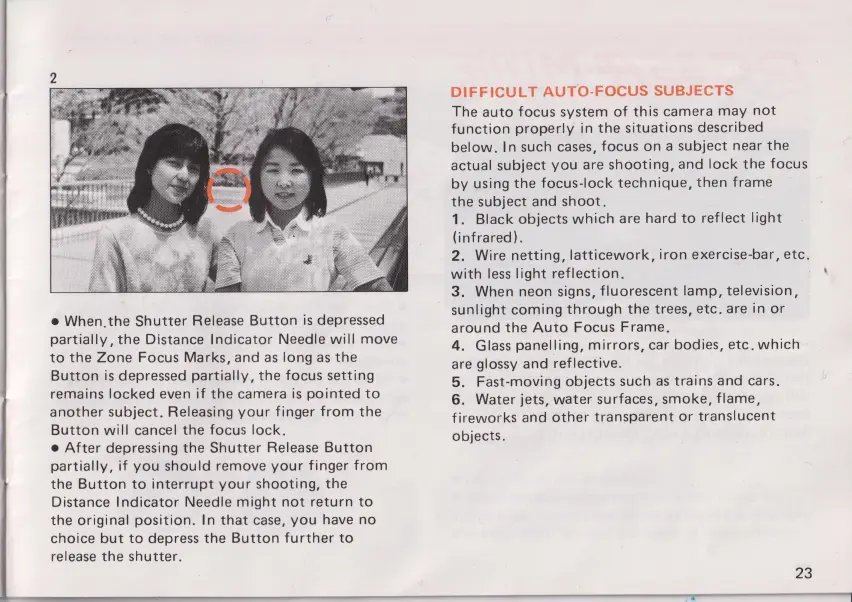
When,the
Shutter
Release
Button
is
depressed
partially,
the Distance Indicator
Needle
will
move
to
the Zone Focus
Marks,
and
as
long
as
the
Button
is
depressed partially,
the focus
setting
remains locked
even
if
the
camera
is
pointed
to
another
subject. Releasing
your
finger
from
the
Button
will
cancel
the focus
lock.
0
After
depressing
the
Shutter Release
Button
partially,
if
you
should
remove
your
finger
from
the
Button
to
interrupt
your
shooting,
the
Distance
Indicator
Needle
might
not
return
to
the
original
position.
In
that
case,
you
have
no
choice
but
to
depress
the
Button
further
to
release
the
shutter.
DIFFICU
LT
AUTO-FOCUS
SUBJECTS
The
auto
focus
system
of this
camera
may
not
function
properly
in
the
situations
described
l
below.
In
such
cases,
focus
on
a
Subject near
the
l
actual
subject
you
are
shooting,
and
lock
the
focus
by
using
the
focus—lock
technique,
then
frame
the
subject
and
shoot.
1.
Black
objects
which
are
hard
to
reflect
light
(infrared).
2.
Wire
netting,
Iatticework,
iron
exercise-bar,
etc.
with
less
light
reflection.
'
3.
When
neon
signs,
fluorescent
lamp,
television,
sunlight
coming
through
the
trees,
etc.
are
in
or
around
the
Auto
Focus
Frame.
4.
Glass
panelling,
mirrors,
car
bodies, etc.
which
are
glossy
and
reflective.
5.
Fast-moving
objects
such
as
trains
and
cars.
6.
Water
jets,
water surfaces,
smoke,
flame,
fireworks
and
other
transparent
or
translucent
objects.
23

Other manuals for Pentax PC35AF-M

Related product manuals