Notes:
- HD Dome can be replaced with any other cellular router that supports RemoteSIM.
- It is recommended to use Peplink Balance series or X series routers as the main router.
This scenario requires the completion of the configuration steps for the cellular router
and the SIM Injector as in Scenario 1. The configuration for the main router is explained
below.
Main Router configuration
IMPORTANT: Main router LAN side and Cellular Routers must be configured using different
subnets, e.g. 192.168.50.1/24 and 192.168.100.1/24.
Note: please make sure the Peplink router is running Firmware 8.1.0 or above.
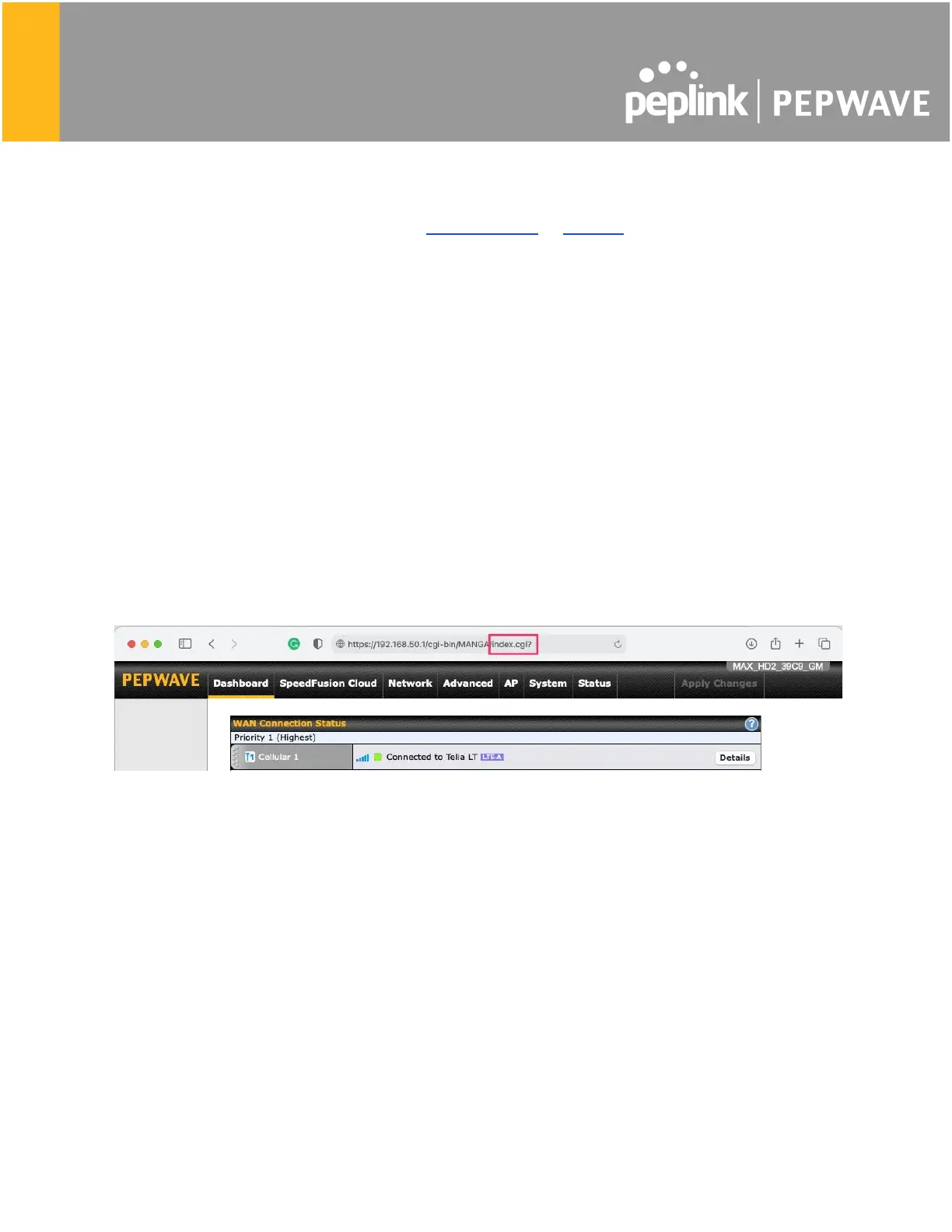
1. Open the main router WEB interface and change:
From <IP address>/cgi-bin/MANGA/index.cgi to <IP address>/cgi-bin/MANGA/support.cgi.
This will open the support.cgi page.
2. Scroll down to find Remote SIM Proxy and click on [click to configure] that is located next
to it.
3. Check the Enable checkbox.
4. Click on Save.
5. Go back to the index.cgi page and click on Apply Changes.








 To Next Page