How to check if a Peplink Cellular Router
supports RemoteSIM
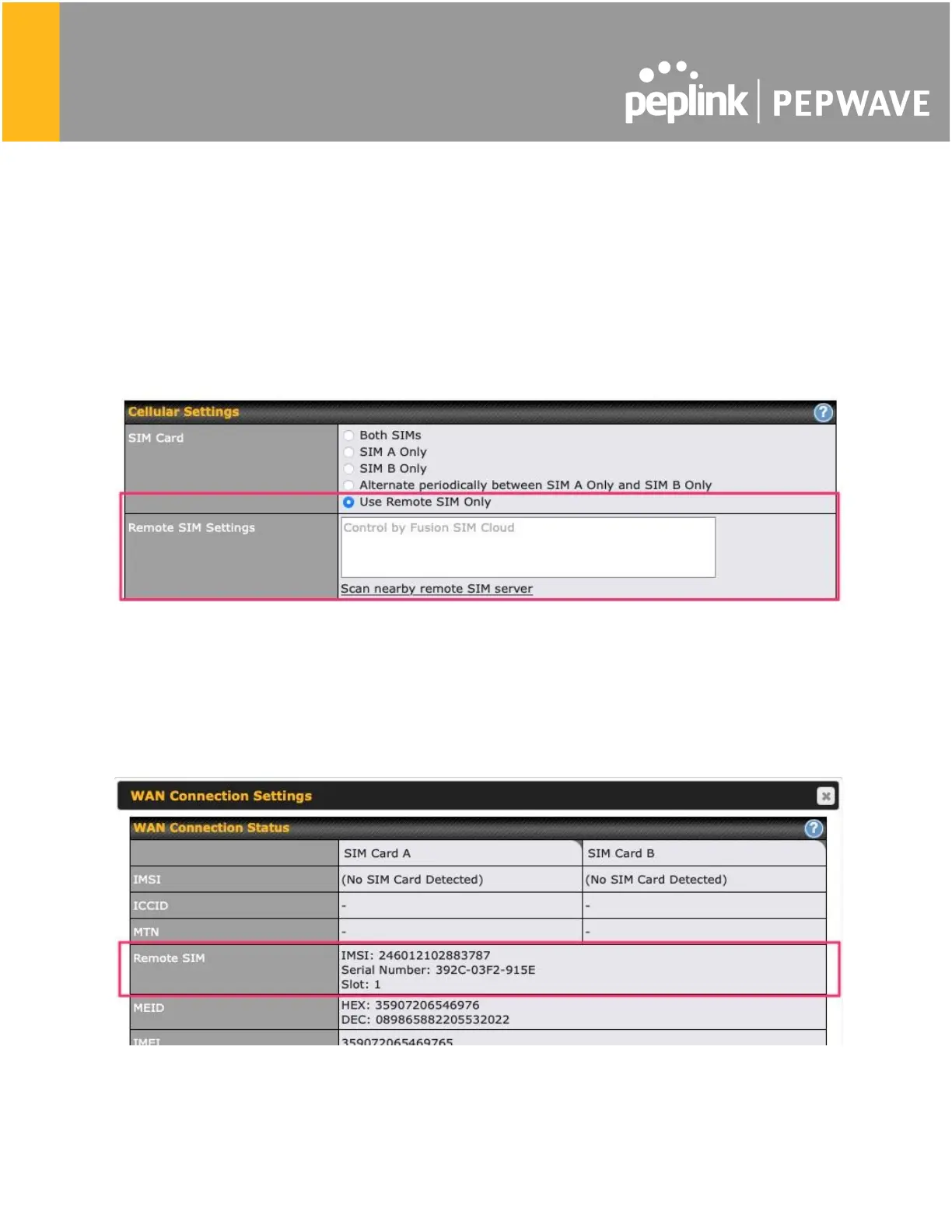
1. Go to Network (Top tab), then WAN (Left-side tab), and click Details on any cellular WAN.
This will open the WAN Connection Settings page.
2. Scroll down to Cellular settings.
If you can see the Remote SIM Settings section, then the cellular router supports RemoteSIM.
Monitor the status of the RemoteSIM
1. Go to Network (Top tab), then WAN (Left-side tab), and click Details on the cellular WAN
which was configured to use RemoteSIM.
2. Check the WAN Connection Status section. Within the cell WAN details, there is a section
for Remote SIM (SIM card IMSI, SIM Injector serial number and SIM slot).








 To Previous Page