3. Click Save and Apply Changes.
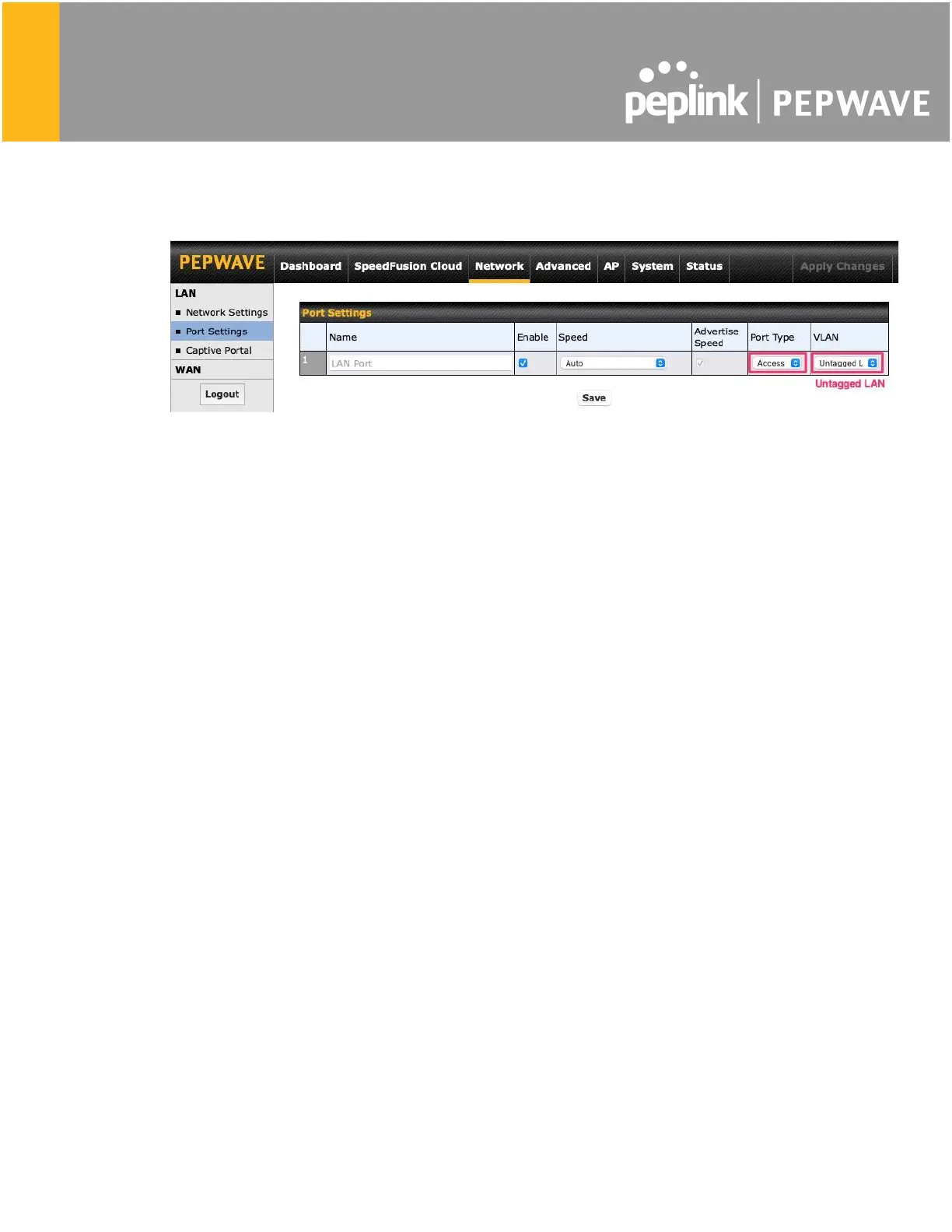
4. Go to Network (Top tab), then Port Settings (Left-side tab).
5. Set the Port Type to Access and set VLAN to Untagged LAN (see picture below).
6. Click Save and Apply Changes.
Configuration requirements for the main Router
Requirements for the main router are:
- Configure WAN 1 as a DHCP client.
- WAN 1 will automatically get the Gateway IP address from HD Dome 1.
- Configure WAN 2 as a Static IP and set it to 192.168.50.12.
- Configure WAN 2 Gateway to 192.168.50.2. Same as the HD Dome 2’s IP address.








 To Next Page