20
22 -24
25 -27
22-24
25-27
28-29
(if necessary)
20
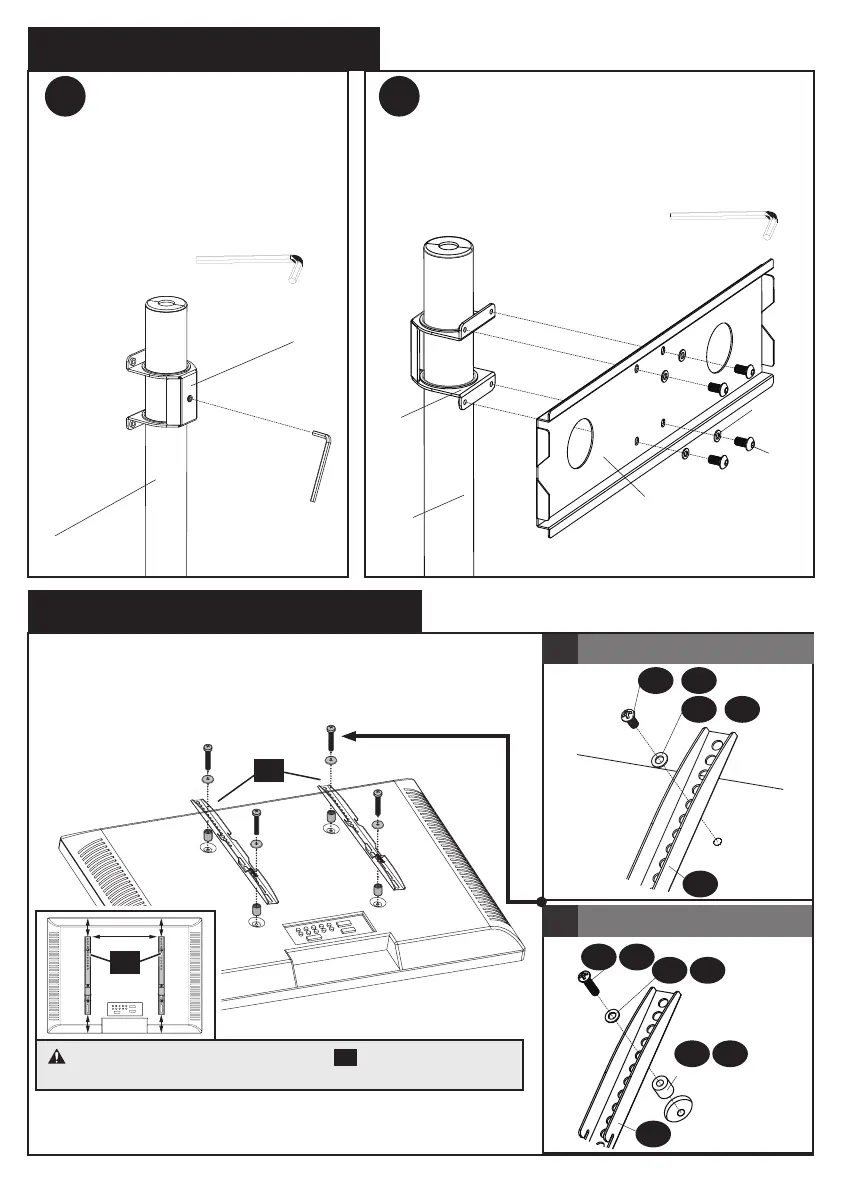
Step 5 Attach Square Plate
Step 6 Secure The TV Brackets
5.1 5.2
6
17
6
12
19
18
17
Use Tool Kit(21)
Use Tool Kit(21)
Put the rubber pad in the square plate
connector (17) then use tool kit tighten
the small hole
Attach the square plate (18) by using
M6x10 bolts (12) and M6 washers (19)
CAUTION: Ensure the TV brackets
20
are EQUALLY
CENTERED on your TV AND securely fastened in place.
a
Screw and washer
b
Screw, washer and spacer(s)
20
20


 To Next Page