Only one bolt size fits your TV.
Select TV Bolts
P6
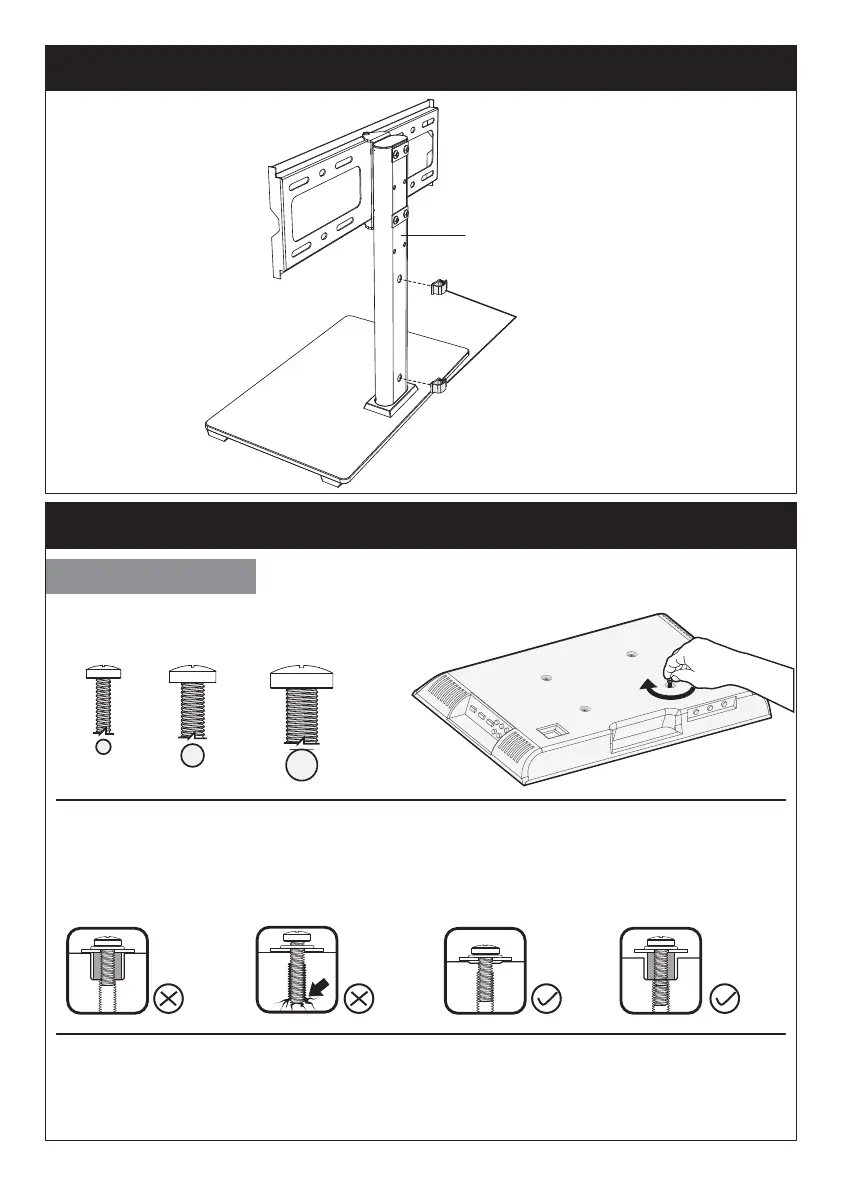
Step 3 Secure the Wire Clips [J] to Support Pillar [P]
Step 4 Secure the TV Brackets [N] to TV
Too Long
Correct Correct
Too Short
Bolt length: Verify adequate thread engagement with bolts or bolts/spacers
combination. We recommend thread engagement by at least 5 turns.
-Too short will not hold the TV.
-Too long will damage the TV.
Note: If necessary, the spacers can be used in multi-layer. If the installation
fails after trying various methods, please contact customer service at
supportus@perlesmith.com.
M4 M6 M8
P
J


 To Next Page