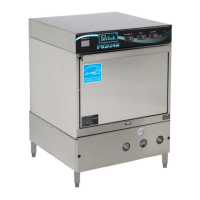
Commercial Glasswasher Installation & Operation Manual
Printed in USA 10
OPERATION
Initial Setup
Dema Flow Disc
The Dema Flow Disc has been placed on the exit side of the water valve. The Flow Disc reduces
pressure to the standard recommended 20 psi.
Rinse and Wash Temperatures
1. Turn the Power switch to the “ON” position.
2. After the machine has warmed up for about ten minutes, note the wash and rinse temperatures. The
wash temperature must be 155°F minimum. The rinse temperature must be 180°F minimum. If
necessary, adjust the temperatures by removing the front kick panel and turning the thermostat
adjustment clockwise to increase, or counterclockwise to decrease. This one adjustment controls both
temperatures.
Post Instructions
1. Install wall chart and instruct machine operator on proper cleaning and operation of the PKHT24.
Startup Procedures
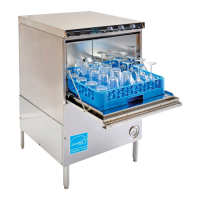
1. Open the door of the machine and check that the scrap screen is in place, and that the spray arms
and end plugs are secure.
2. Close the door of the machine and turn the Power switch to the “ON” position.
3. Hold the fi ll button about 25 seconds or until the water overfl ows into the scrap tray.
4. Once the water is fi lled to the proper level, press the rocker switch marked “START” – the machine
will automatically begin its cycle.
5. Check the machine’s operating temperatures and adjust if necessary. See the Rinse and Wash
Temperatures section above.
6. At the end of the wash period, drain the machine by pushing the rocker switch marked “DRAIN”.
Clean the wash tank screen and scrap tray screen. Remove and clean the spray arms. (See wall chart
instructions).


 To Next Page