The T6U Spectrophotometer is a UV-Visible spectrophotometer designed for a wide range of applications, including agricultural products, public health, environmental protection, life sciences, industries, and various organic and biochemical applications. It is a well-accepted, documented technique with many applications, and PERSEE ANALYTICS, INC. has developed this latest spectrophotometer-T6U based on its proven technology, which offers outstanding quality, excellent specifications, and stable performance, ensuring accurate measurements.
Function Description
The T6U Spectrophotometer is a precise electronic instrument capable of performing quantitative measurements, DNA/Protein analysis, and other photometric measurements. It allows users to measure Absorbance (Abs) or transmittance (T%) at a fixed wavelength and K factor, and to print out the results. The instrument supports various operating modes, including photometric measurement, card program, and system settings.
The photometric measurement mode allows users to set parameters such as method (Abs, T%, Energy), math count (Current Gain, Input Gain, K, B), and cell setting (module style, cell number, reagent blank, cell blank, factor K, cell init). The card program mode enables the loading and unloading of pre-programmed cards, which can contain extended interfaces for specific applications. The system set mode allows users to configure various working parameters, including backlight working mode, tungsten lamp On/Off, deuterium lamp On/Off, control mode, time set, wavelength calibration, dark current correction, printer selection, and lamp life.
Important Technical Specifications
- Wavelength Range: 190nm-1100nm
- Wavelength Accuracy: ±1.0nm (with automatic wavelength correction)
- Wavelength Reproducibility: <0.2nm
- Spectral Bandwidth: 2 nm
- Photometric Accuracy: ±0.3 %T
- Photometric Reproducibility: <0.15 %T
- Stray Light: <0.05 %T (220nm Nal 340nm NaNO2)
- Baseline Flatness: ±0.002A (1000-200nm, after 1 hour warm-up)
- Noise: 0%T: <±0.05%T (500nm), 100%T: <±0.15%T (500nm)
- Baseline Stability: <0.001A/1h (500nm, after 1 hour warm-up)
- Photometric Range: Abs: -0.3-3Abs, Transmittance: 0-200%T
- Interface: PC interface via RS232 link, Printer interface via parallel output port, With the extended interface for optional program cards
- Light Source: 12V20W tungsten lamp, deuterium lamp (with flange)
- LCD: 128X64 backlight digital LCD
- Sample Compartment: Inner Dimensions: 235X130X110mm, The maximum pathlength: 100mm, Build-in automatic multiple cells
- Detector: Silicon photodiode
- Photometric System: The split-beam monitoring ratio system
- Voltage: 230V/120V (original setup)
- Weight: 11kg
- Dimensions: 476X362 X 225mm
Environmental Requirements:
- Non-operating (Transport) Condition: Altitude 0-2000m, Temp (°C) 5-45, Humidity (%RH) Non-condensing 20-80
- Non-operating (Storage) Condition: Sea level, Temp (°C) 40, Humidity (%RH) 91-95
- Operating but not necessarily meeting performance specifications: Altitude 0-2000m, Temp (°C) 5-31, Humidity (%RH) ≤ 80, [80-3.33(t-31)]
- Operating within performance specifications: Altitude 0-853m, Temp (°C) 10-35, Humidity (%RH) 8-80; Altitude 853-2000m, Temp (°C) 10-25, Humidity (%RH) 8-80
Usage Features
- Installation: The instrument requires a stable workbench for installation. It is crucial to unpack carefully and set it down gently to avoid damage. The instrument connects to a printer and then to an AC outlet. After connecting the power cords, the power switch should be set to "0" before connecting the power cords. The instrument undergoes an initialization process upon power-on, checking components like cell init, filter init, lamp motor, scan motor, and WL check.
- User Interface: The instrument features a keypad with numeric keys (0-9) for inputting values, function keys (SET, GOTOλ, ZERO, PRINT) for setting working mode, wavelength, zero Abs, and printing data, and edit keys (START/STOP, RETURN, ENTER) for starting/stopping measurements, quitting operations, and confirming parameters. Page keys allow navigation up and down.
- Operation Modes:
- Photometric Measurement: Users can select between Abs, T%, or Energy modes. For Abs and T% modes, the system allows setting a K factor for calculations. The Math Count option enables inputting current gain and input gain, as well as K and B values for linear equations (G = KA + B). Cell settings allow configuring module style (e.g., 8 cell), cell number, reagent blank, cell blank, and factor K.
- Card Program: This mode facilitates the use of pre-programmed cards for specific applications, such as DNA/Protein analysis.
- System Set: This comprehensive menu allows users to adjust various instrument parameters:
- D2 Lamp/W Lamp: Turn the deuterium and tungsten lamps On or Off.
- Work Mode: Select between MCU and PC control modes.
- Printer: Configure printer settings (uP or HP series ink jet/laser printer).
- Time Set: Set the current year, month, day, hour, minute, and second.
- Dark Current Correction: Perform dark current correction to improve measurement accuracy.
- Wavelength Correction: Perform wavelength correction to ensure accurate wavelength readings.
- Lamp Life: Monitor the operating hours of the tungsten and deuterium lamps.
- Reset System: Reset the instrument to its default settings.
- Input Change Lamp Wavelength: Manually input the wavelength for lamp changes.
- About: Display instrument version and serial number.
- Safety Precautions: The manual highlights several safety icons:
- Direction Guide: Provides instructions on mounting and dismounting the instrument.
- Caution: Warns against improper operation that may cause unnecessary damage or accidents.
- Eyes Protection: Advises wearing glasses for inner ultraviolet radiation and strong light.
- Scald: Warns against touching hot surfaces.
- Wear Gloves: Recommends wearing gloves when maintaining parts.
- Don't Touch: Advises against touching optics components.
- Environmental Requirements: The instrument must be operated in a stable environment, avoiding corrosive gas, strong magnetic fields, electromagnetic fields, and high-frequency waves. The workbench should be stable, strong enough to support the total weight of the equipment, and allow for proper air circulation.
Maintenance Features
- Daily Care:
- Check the sample compartment: Wipe off any spilled liquid immediately to prevent evaporation and corrosion.
- Clean the dust filter: Clean the dust filters every three to four months, or more frequently in dusty conditions. Use tap water to clean the filter.
- Surface cleaning: Do not spill solution on the cover. If spills occur, clean with a wet towel. Avoid using organic solutions.
- Troubleshooting: The manual provides guidance for common issues:
- Screen display/printer issues: Check connections, power cords, and printer selection.
- Cell compartment errors: Check for opaque objects or cells, and ensure proper placement.
- Lamp errors: Check lamp voltage and ensure the lamp is not too low.
- Unstable measurement: Perform instrument initialization, check sample compartment, and ensure the blank is correct.
- Poor reproducibility/card program issues: Check sample stability, ensure proper wiping of the cell, and verify card insertion.
- 0%T correction/stray light/data clearing: Provides solutions for these specific problems.
- Light Source Replacement: This is a critical maintenance task that requires caution due to the risk of electric shock and UV radiation.
- Tungsten lamp replacement: Involves loosening knobs, removing the cover, lifting the display, and replacing the lamp.
- Deuterium lamp replacement: Similar steps, but requires handling the D2 lamp holder and coupler plug.
- Safety: Always turn off the power, wear cotton gloves, and avoid touching the light source mirror or optics components.
- Clean the dust filter: The manual provides instructions for switching off the power, and removing and cleaning the filters.

 Need help?
 General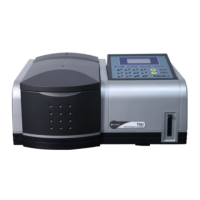

 To Next Page