8
Chapter 3 Operation
3.1 Introduction
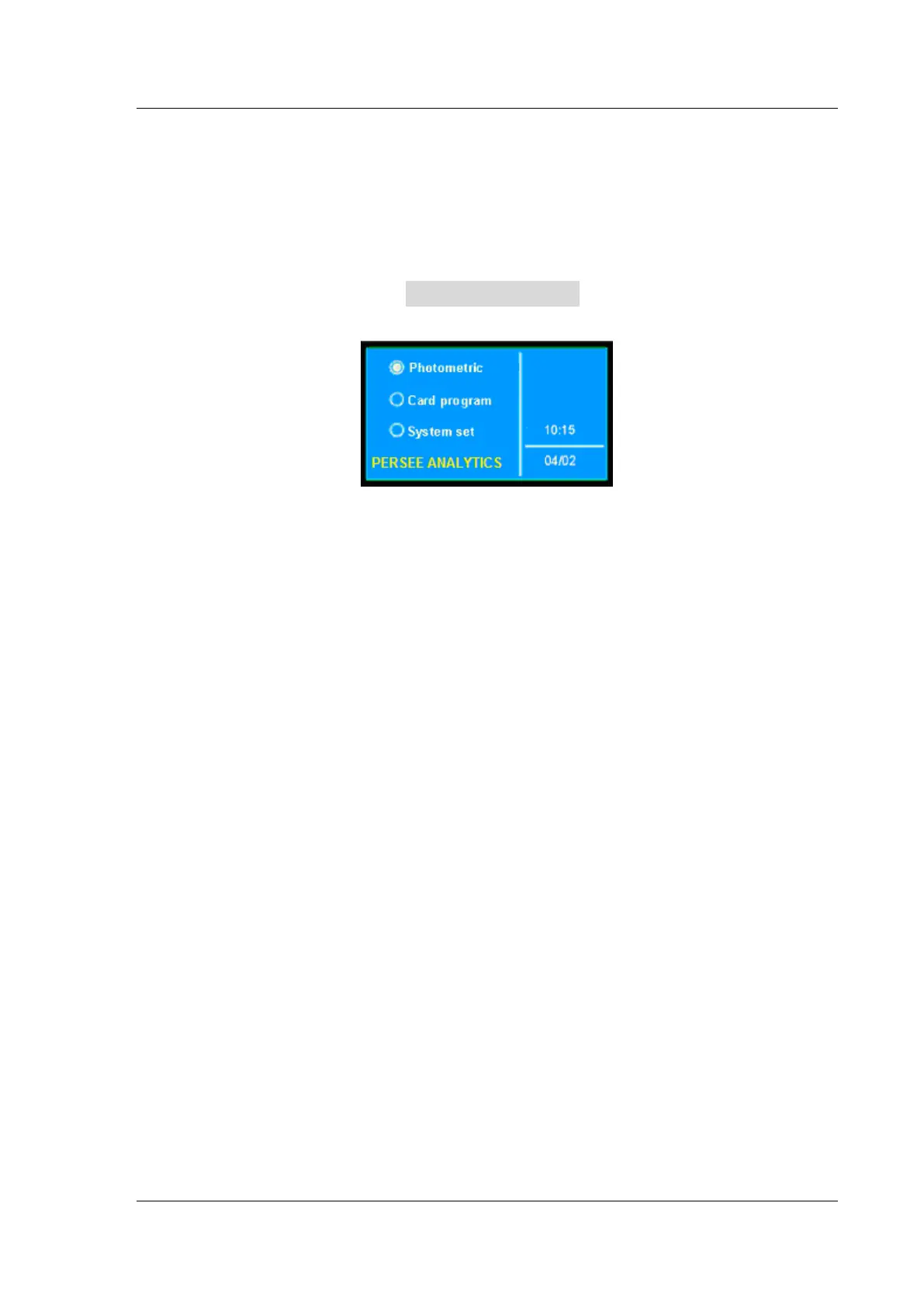
The main menu
(Fig.3-1)
Press 【▲】 and 【▼】 to move the cursor to the required function, then press【ENTER】to gain
access to the screen of selected option; Press 【RETURN】 to return to the preceding page.
There are three options available on the main menu:
⊙ Photometric Measurement
This mode allows the user to measure Abs or transmittance at a fixed wavelength and K factor and
print out.
⊙ Card Program
The instrument can perform a required measurement such as quantitative measurement, DNA/Protein
analysis etc. by loading a pre-programmed card into the extended interface of the instrument. If there is no
pre-programmed card in the extended interface, this option is inoperative.
⊙ System Set
This mode allows the user to specify the working parameters, such as backlight working mode,
tungsten lamp On/Off, deuterium lamp On/Off, control mode, time set, wavelength calibration, and dark
current correction etc.


 To Next Page