17
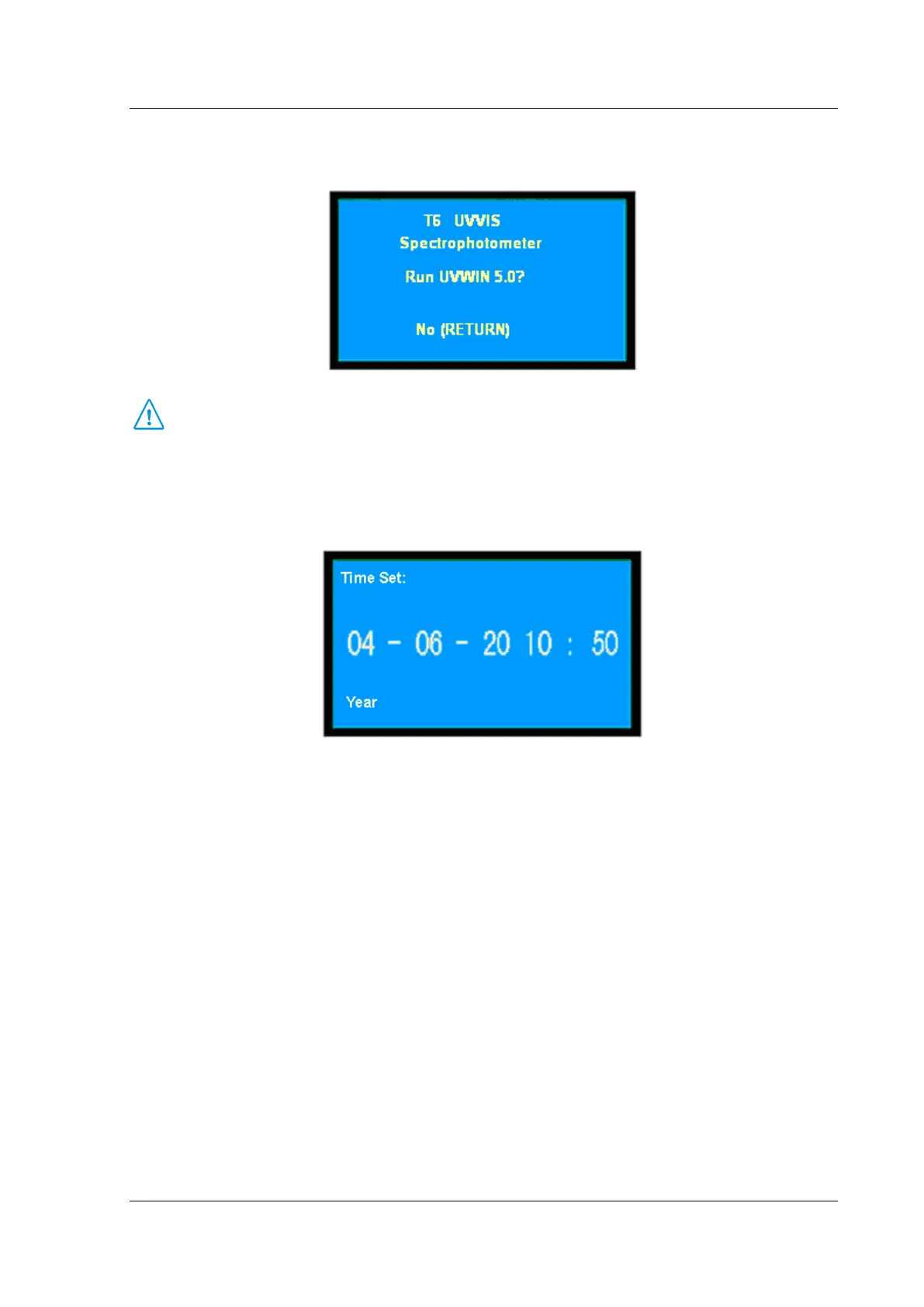
perform. Press 【RETURN】 to quit PC mode.
(Fig. 3-15)
The software is an optional accessory. It provides you more powerful analysis function. Please
contact your local dealer for more detailed information.
⊙ Time Set
In the case of system set, press【▲】 and 【▼】 to move the cursor to the Time Set, then press
【ENTER】, as shown in Fig.3-16:
(Fig. 3-16)
At the bottom of the page, the indication information prompts the user set time. And enter current
year/month/date according to the indication time units. The numeric keys (0~9), [.] and [-] key is used to
set time. 【RETURN】 key is used to clear mistakes, and press 【CE】 key to clear step by step, then press
【ENTER】 key to confirm. If nothing is to be entered, press 【RETURN】 key to quit this page directly.
A 2-digit figure entry is allowed. The range of year is from 0 to 99. The range of month is from 0 to 12. The
range of date is from 1 to 31. The range of hour is from 0 to 24. The range of minute is from 0 to 59. If the
entered figure exceeds the range and you have pressed 【ENTER】 or exceeds two digits, the system will
delete what has been entered automatically and you should start a new entry again.
⊙ Dark Current Correction
In the case of system set, press 【▲】 and 【▼】 to move the cursor to the option of Dark Current, then
press 【ENTER】, as shown in Fig.3-17:


 To Next Page