8
4.BlueNote SETTING
1. Mode change & Settings
BlueNote has a MENU features which lets you change the settings such as the display and tuning mode.
To change the BlueNote settings, press the MENU ( ) button. The Menu will be displayed.
▶
These menu options are available:
1. Preset Tune
2. Manual Tune
3. Backlight
4. Contrast
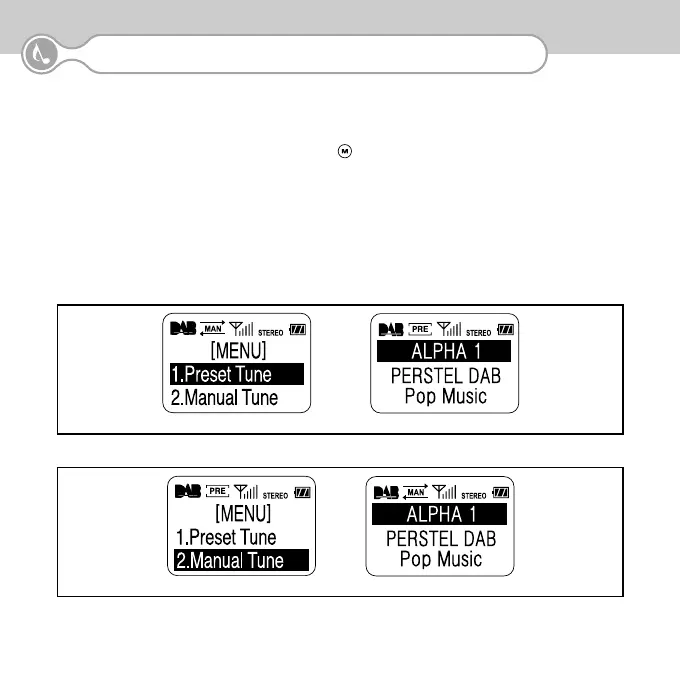
1) Preset Tune
<Manual Tune -> Preset Tune>
2) Manual Tune
<Preset Tune -> Manual Tune>


 To Next Page