9
4.BlueNote SETTING
<Backlight Setting>
①
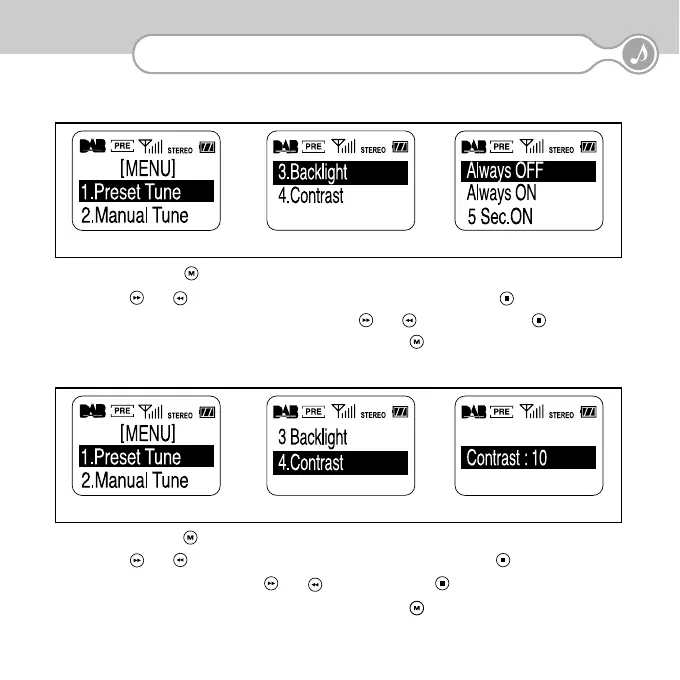
Press the MENU ( ) button. The Menu is displayed.
②
Press ( ) or ( ) so that "3.Backlight" is highlighted, and then press Confirm ( ) .
③
Choose desired Backlight duration level by pressing ( ) or ( ) , and press Confirm ( ) .
④
To cancel and go back to the original setting, press the MENU ( ) button at any time.
3) Backlight Setting
4) Contrast Setting
①
Press the MENU ( ) button. The Menu is displayed.
②
Press ( ) or ( ) so that "4.Contrast" is highlighted, and then press Confirm ( ) .
③
Adjust Contrast level by pressing ( ) or ( ), and press Confirm ( ) .
④
To cancel and go back to the original setting, press the MENU ( ) button at any time.
<Contrast Setting>


 To Next Page