Remote Functions
4
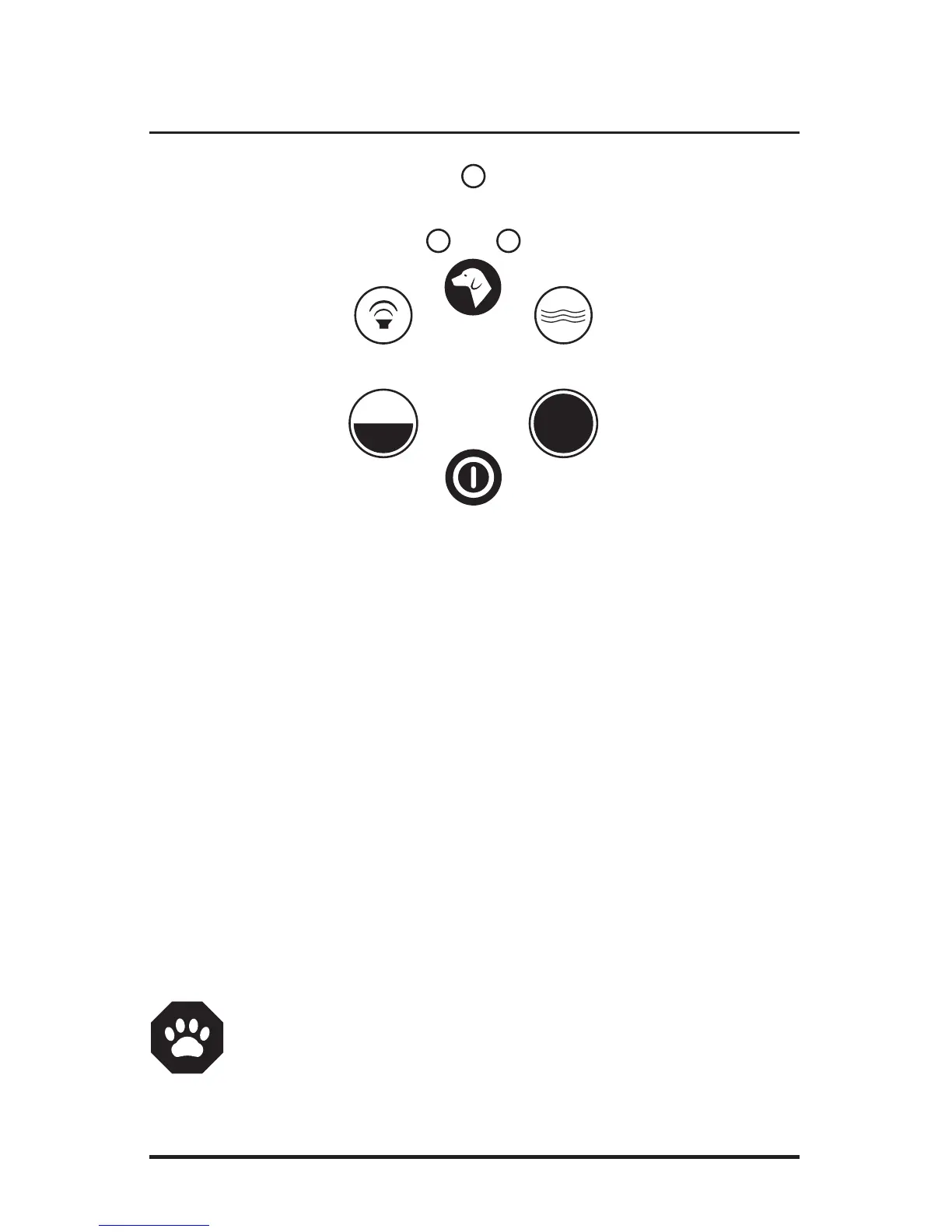
TONE ONLY
Press and hold the TONE button to activate the warning tone for up to 10 seconds. After
ten seconds the button needs to be released and pressed again to reactivate. Most dog
fence trained pets will respond quickly to only the warning tone without need for ad-
ditional stimulation.
VIBRATION
The VIBRATION function is most often used as a “praise button” or positive reinforcement
for positive behaviors. Providing treats or praise while pressing the vibration button will
help reward your dog for desirable behaviors.
½ SECOND STIMULATION
Press and release to provide a brief ½ second of stimulation from the fencing collar
receiver.
1 SECOND STIMULATION
Press and release to provide a longer 1 full second of stimulation from the fencing collar
receiver for difficult or dangerous situations.
DOG TOGGLE BUTTON
Press and release the Toggle button to alternatively select Dog 1 or Dog 2 collar Receivers
NOTE: The Handheld Remote will emit a long beep and flashing red light
should any command from the Handheld and the Remote Receiver fail. This
condition is most likely caused by the pet being out of range. Move closer
and attempt again. With a direct line of sight, you can expect the effective
range to be up to 150 feet.
Tone Only
Function
1/2 Second
Stimulation
Power Light Indictor
Dog 1
Indicator Light
Dog 2
Indicator Light
Vibration
Function
One Second
Stimulation
On / Off – Press & hold for 2 seconds
to turn handheld remote OFF
Dog Toggle



 To Next Page