36
1. LED light doesn’t light up
2. Petcube blinks blue/yellow and doesn’t turn blinking blue
TROUBLESHOOTING
8
If the LED light on your Petcube camera is Off while the camera is plugged into
the power source, try unplugging it and plugging it back in. Make sure that you
are using the original power adapter that came with your Petcube and that the power
cord is undamaged. If you no longer have the original power adapter, make sure
to only use the ones that provide 5V/2A power.
It might be that Petcube
camera is located out of reach
of Wi-Fi assigned, or Wi-Fi is not being
broadcasted, or there is not internet
available. Make sure it is in Wi-Fi range
and internet is available.
When you plug in your Petcube before
starting the registration process,
it should glow solid yellow for a minute.
Wait up to 1 minute until it starts
blinking blue/yellow.
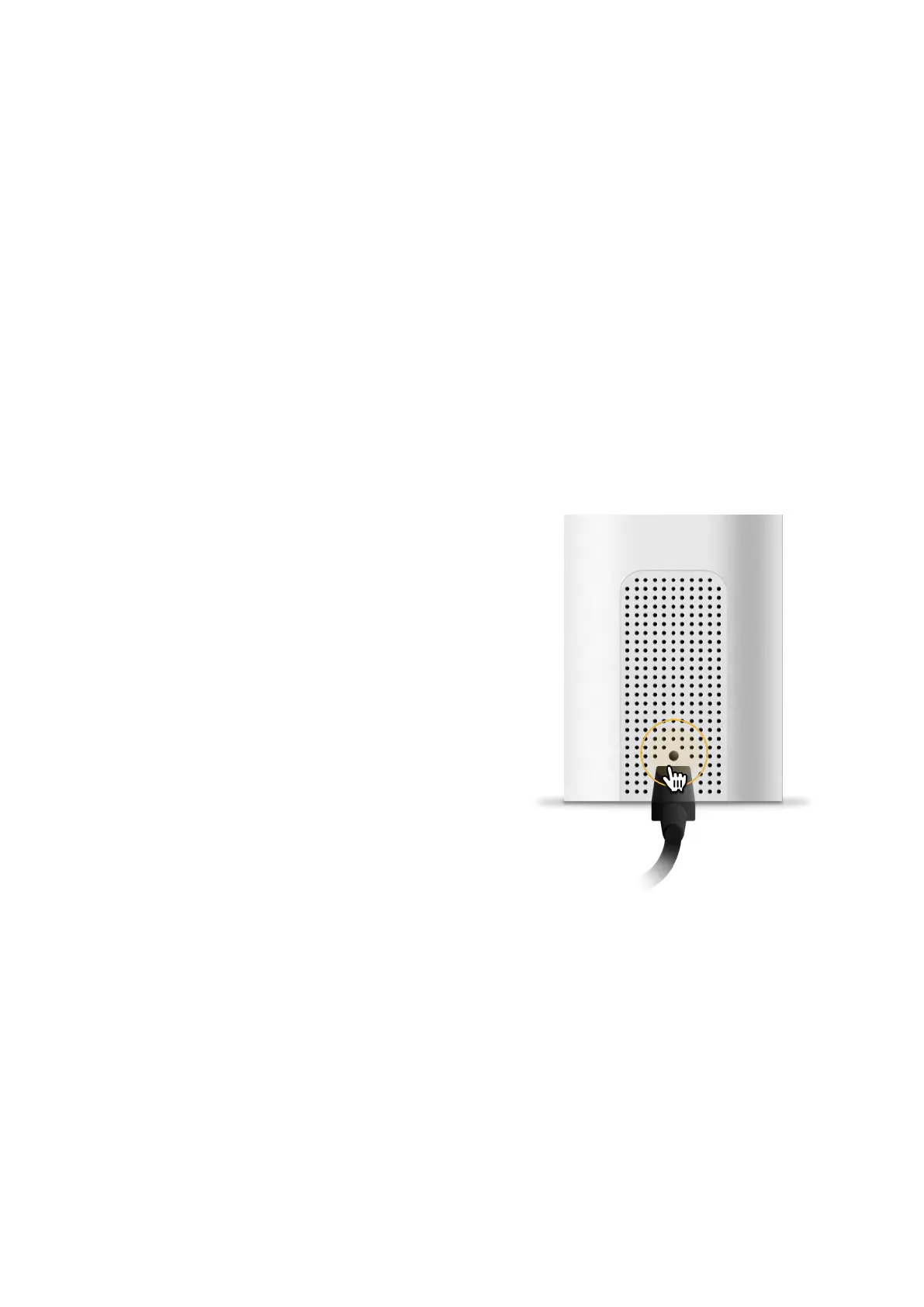
1. Find setup button above the USB
port of your Petcube Bites 2 Lite,
hold it down with a pin for 1 second
until you hear «Ready to connect»
(Fig. 8.2.1);
2. Open Petcube app, go to the ‘Home’
tab, tap Plus icon in the top right
cornet of the screen’, pick your
Petcube from the list of options and
follow the steps on the screen.
Fig. 8.2.1



 To Next Page