TouchScreens
Phone
ThePhonefunctionprovidestheability
fortheusertoplaceandreceivecalls
viaaBluetooth®connectedphone.
•PhoneKeyPad
•Contacts
•ConnectPhone
•Call/Answer
•HangUp/Ignore
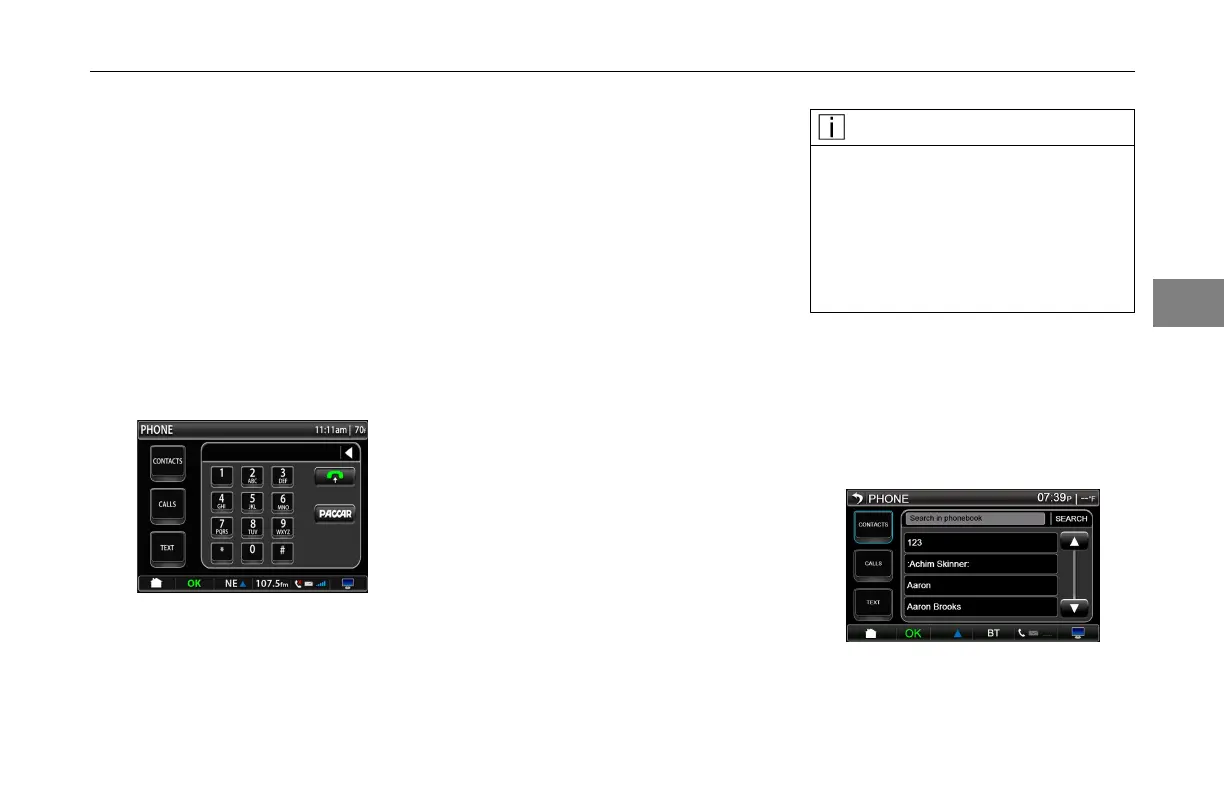
PhoneScreen
PressingthePACCARbuttonwilldial
thePeterbiltorKenworthcallcenter
dependingonwhetherthedeviceisa
PeterbiltorKenworth.Thecallcenter
phonenumbersare:
•PeterbiltCallCenter:
1-800-473-8372
(1-800-4-Peterbilt)
•KenworthCallCenter:
1-800-592-7747
(1-800-KWASSIST)
Contacts
PressingtheContactsbuttonwillshow
anycontactsthatarestoredonyour
phone.Usetheupanddownarrowsto
scrollthroughyourcontacts.Pressthe
contactyouwanttoselectit.
NOTE
IfyourphoneisconnectedviaBlue-
tooth®andhasthecapabilityof
sharingthecontactlist,itwillap-
pearhere.RefertotheChanging
PersonalSettingssectionformore
detailsonhowtodownloadthe
phone’scontactlist.
Searchcontactsbypressing"search
inphonebook"eld.Beginentering
nameonkeyboard.Pressthecontact
youwanttoselect.Leavingthe
contactsscreenwillclearthesearch
results.
ContactsScreen
3-13
3



 To Next Page