TouchScreens
airconditioningfan,openwindows,
radioorotherconversations.Speak
numbersingroupsof3or5anda
slightpauseinbetween.Donotspeak
a10digitnumberwithoutpausing.
Thevoicerecognitionsystemwill
recognizethelanguageitiscurrently
setfor.(Forexample,ifthesystemis
setforFrench,itwillacceptcommands
inFrench.)
Audio
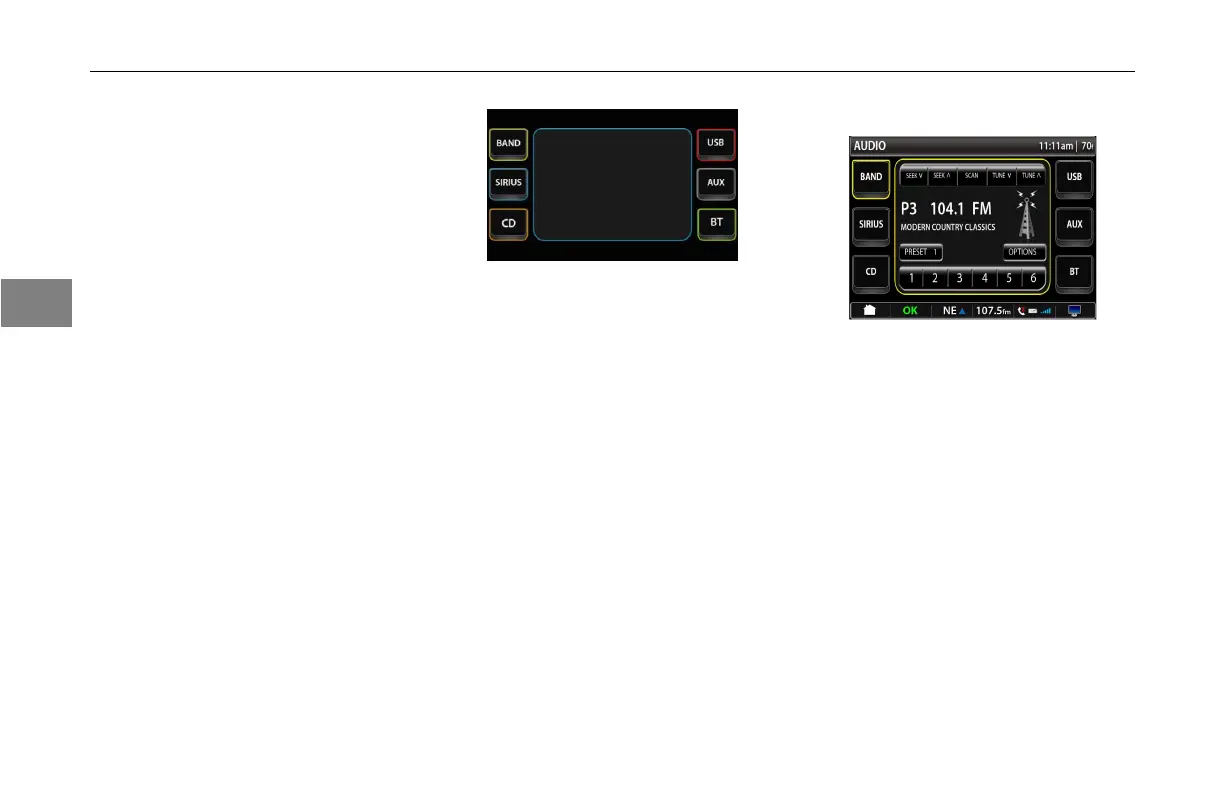
PressingtheAudiobuttonwillbring
uptheAudioscreen.TheAudio
screengivestheuseraccesstothe
entertainmentaudiosources.
MainAudioScreen
•Band–FM/AM/WB
•Sirius–Sirius®SatelliteRadio
•CD
•USB–MemoryStickInput
•Aux–MP3deviceinputoriPod®
input
•BT-Bluetooth®PairedDevice
Input
Thebuttonwillactivateoncethe
sourcebecomesactive.
RadioBandSelect
BandSelect
Thebandselectscreenallowsthe
usertoselectdifferentcontrolfeatures
oftheFM/AM/WBradio.
TherstpressoftheBandbuttonin
thetoplefthandcorneroftheaudio
mainscreentakestheusertotheband
selectscreen.Thescreenwillbefor
thebandlastselectedandthedefault
willbeFM.BypressingtheBand
buttonagaintheusercanchange
audiobandsinthefollowingorder:FM
toAMtoWBandthentoFMagain.
3-
16
3



 To Next Page