TouchScreens
•ChannelsUpdating
•Firmware
CompactDisc(CD)
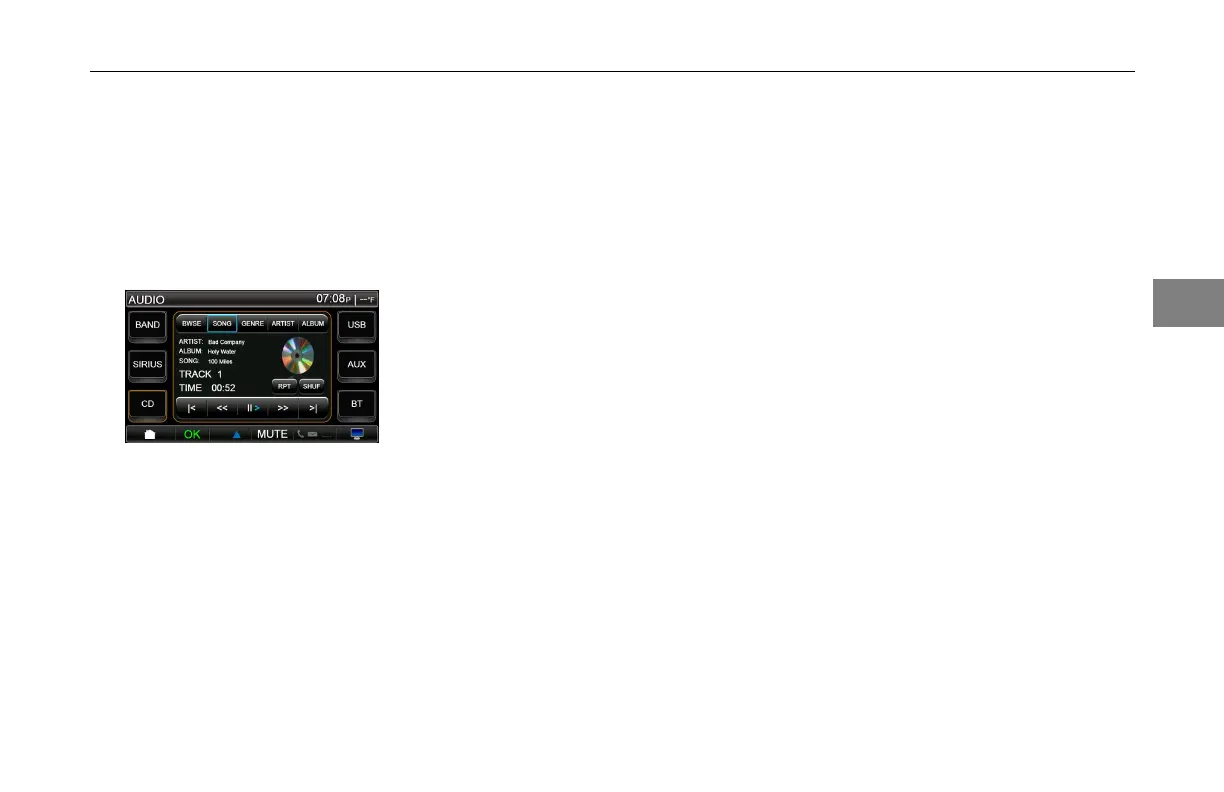
TheCDscreenisaccessedby
pressingtheCDbutton.
CompactDisc
WhenaCDisloadedanddepending
ontheCDformat,thescreenwill
displaytheArtistName,AlbumTitle,
SongTitleandTrackNumberout
ofTracksavailable(x/xx),andTime
Elapsed.
PressingtheRPTbutton
allowsthe
usertorepeatthetrack.Pressthe
buttontoturnofftherepeatfunction.
PressingtheSHUFbuttonallowsthe
usertoselectshufeplaymodewhich
willrandomplaytracksontheCD.
PressingtheSHUFbuttonagainwill
turnofftheshufefeature.
PressingtheBWSEbutton
allowsthe
usertobrowsethelesonaCD(if
supportedbytheCDinformation).
Pressingtheupanddownarrows
totherightwillpageupanddown
throughtheavailableles.Pressing
aspeciclewillshowalistofsongs
availableinthatle.Pressingthe
arrowtotherightofthelewillstart
playingtherstsonginthatleand
continueplayingsongsfromthatle.
PressingtheBACKbuttonwilltake
youbacktothepreviousscreen.Note:
ThisfeatureisforCD’sthathaveles
loadedfromnumerousothersources
wherethetrackmaintainstheoriginal
leinformation.
PressingtheSONGbutton
allowsthe
usertoselectthesongtobeplayed
(ifsupportedbytheCDinformation).
Pressingtheupanddownarrows
totherightwillpageupanddown
throughtheavailablesongs.Theuser
canplayaspecicsongbyselectingit
fromthelistorpressingthearrowto
therightofthesongtitle.Pressingthe
BACKbuttonwilltakeyoubacktothe
previousscreen.
PressingtheGENREbutton
allows
theusertoselectthegenreofmusic
tobeplayed(ifsupportedbytheCD
information).Pressingtheupand
downarrowstotherightwillpage
upanddownthroughtheselections.
Pressingthespecicgenrewantedwill
showalistofartistsavailableinthat
genre.Pressingthearrownexttothe
genrewillstartplayingthersttrack
withinthatgenreandcontinueplaying
3-
19
3



 To Next Page