Note: Pairing has to be finished within 10 seconds after flash at a
Test Function:
Test Static Shock Function
In your package that you received, you will find a clear almost translucent
4) If needing to pair a second Collar Receiver, follow the same steps
but first press 1/2 button to different channel.
Step
6
1) Choose channel 1 or 2 by pressing the Channel Button you want
to test.
2) Place the test light to the contact points.
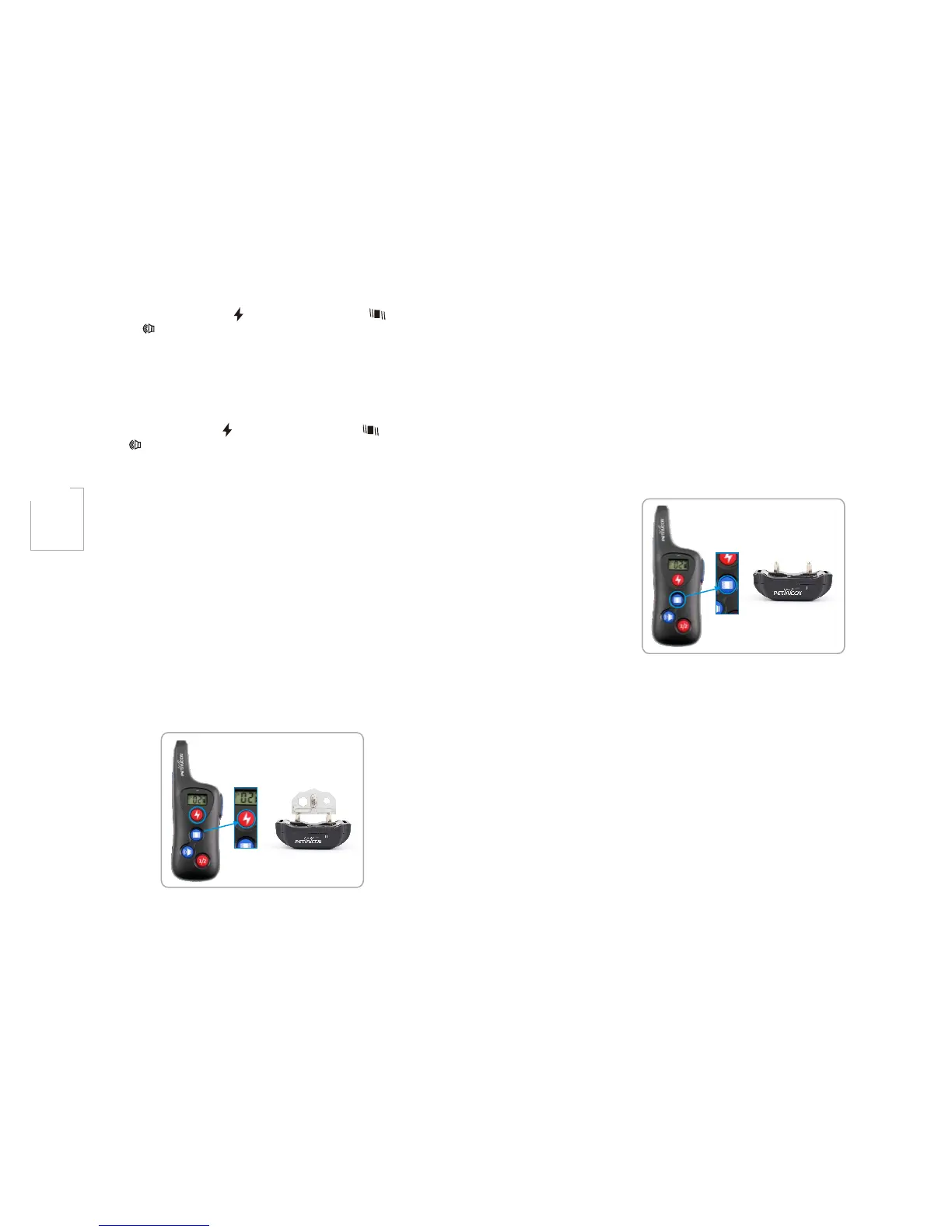
Important: Please see diagram below on how to attach the test light:
Important Notice: If wishing to test the static function on yourself,
remember to place your finger or hand against both contact points.
will be felt.
Test Vibration Function
1) Choose channel 1 or 2 by pressing the Channel Button you want to
test.
2) Select stimulation level by pressing UP/DOWN button and choose
between 1-16 stimulation levels.
3) Press “Vibration Button”, the collar receiver will vibrate, that means
Vibration Function works.
Test Beep Function
1) Choose channel 1 or 2 by pressing the Channel Button you want to
test.
2) Select stimulation level by pressing UP/DOWN button and choose
between 1-16 stimulation levels.
Important: If the transmitter is in sleep mode (the LCD display is turned
Otherwise, the connection won't be completed and no stimulation
(Figure 6-1)
(Figure 6-2)
plastic piece that has a light bulb/fuse in the middle of it. This is your
Static Shock Stimulation tester. This component DOES NOT attach
to the Collar Receiver by any means and is only for testing the static
shock mode. To test static shock function, follow these steps:
3) Select stimulation level by pressing UP/DOWN button and choose
between 1-16 stimulation levels.
4) Press “Static Button”, and the LED will flash on.
5) if done correctly, the test bulb should flash orange indicating the
electronic pulse stimulation is operating correctly.
off) you must press the any button except Up/Down Button once to
wake up the unit, and then press the button again to send the signal
from the remote to the collar receiver. This applies to all functions.
3) Press “Sound Button”, the Collar Receiver will emit beep sound if
done correctly. If you choose 1 level, The Collar Receiver will emit
tow beeps sound, if stimulation level increases with each level, and
then the receiver collar emit one more beep sound.
-10- -11-
3)Press the “Static Button( )” or “Vibration Button( )” or “Sound
Button( )” on the Transmitter with a "beep sound” on the Receiver
Collar, indicating successful pairing.
short interval from the Receiver Collar. Meaning, you have to press
the “Stimulation Button ” or “Vibration Button ” or “Sound
Button ” on the Transmitter within 10 seconds of the Receiver
Collar flash at a short interval for pairing to be completed.
( ) ( )
( )



 To Next Page