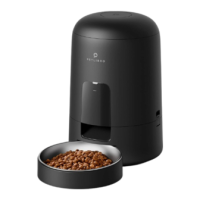
*Reference for portion setting:
Important Notes:
1) About 2 ½ tsp / 12.5ml kibbles are dispersed each portion.
2) Two clicks will be heard before the food is dispersed.
3) One or two kibbles may be left at the chute after feeding, and it may come out
of the outlet when the machine is moved (doesn’t indicate a faulty equipment).
4) Refer to the instructions on your pet food packaging for detailed feeding instruction.
5) Please double check the current time after settings.
• Press and hold the Record button for 3s until a
beep is heard.
• Record your voice for less than 10s, press the
Record button again to save. 2 beeps will
be heard indicating it’s saved. You can press the
Record button to check the voice you just recorded.
• Repeat the process to change your recordings
every time.
Note:
1) Only press and play the recording if there’s any.
2) When feeding time is up, the recording will be
played after food is dispersed.
• Press the Feed button when the screen is unlocked
(press and hold the Unlocked button 3s) and one
portion (appr. 2 ½ tsp / 12.5ml) will be fed each time.
Note:
The normal schedule and portion will not be affected.
Pet Type
Dog (22lbs)
Cat (10lbs)
Daily Intake
Appr. 1 cup
Appr. ½ cup
Meals
2
4
Portion / Meal
9
2
8. Recording a Meal Call
9. Manually Feeding Your Pet
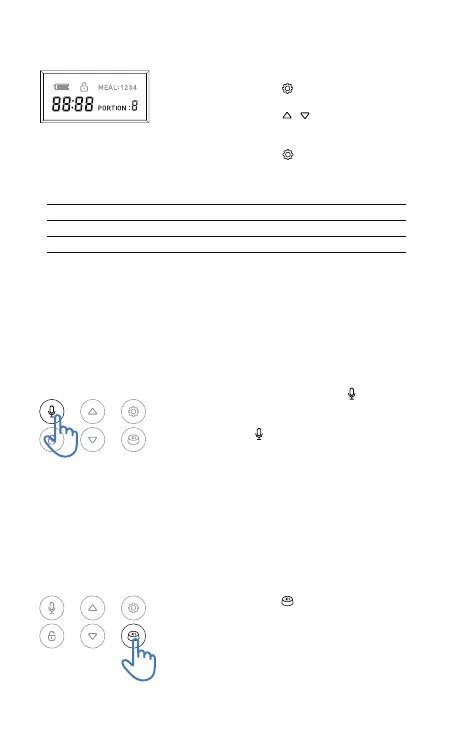
- Setting the portion of the current meal
• Press the Set button and the Portion number
will blink.
• Press the Up / Down / buttons to set the
portion from 1-9 based on the desired volume of
the current meal to be dispensed*.
• Press the Set button to repeat the process
above for the 2
nd
to 4
th
meal if needed.
7


 To Next Page