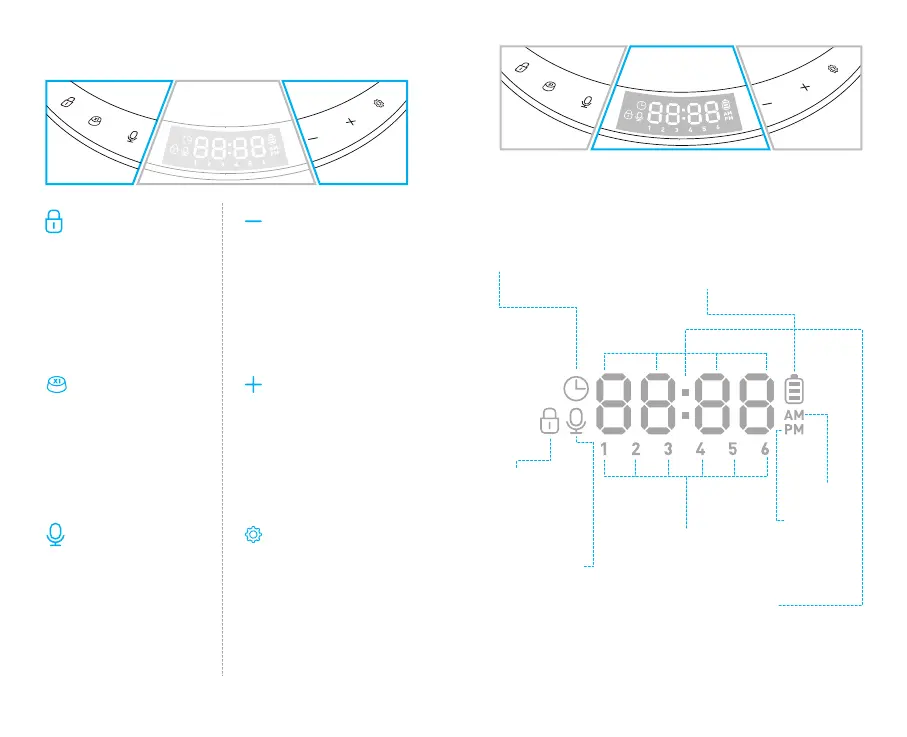
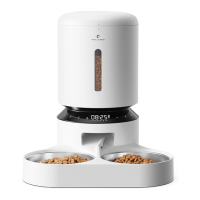
BUTTONS AND DISPLAY OVERVIEW
Unlock Button
Press and hold for 3s to
unlock other buttons and
screen.
Manual Feeding Button
Press 1-5 times to
dispense 1-5 portions of
food.
Record Button
Press once and a beep is
heard, record your
message (max 10s), then
press again to save and a
double beep is heard.
Number Decrease Button
(Unlocked Status)Press to
switch between meal
number.
(Setting Status)Press to
decrease number.
Number Increase Button
(Unlocked Status)Press to
switch between meal
number.
(Setting Status)Press to
increase number.
Setting Button
(Setting Status)Press to
confirm and enter next
step.
Press and hold for 3s to
return to the locked
interface.
Lock Icon
Meal Number
Before noon
After noon
The display area for time,
number of feedings and
recording playbacks.
Light up when
other buttons
are locked.
Battery Level Icon
Light up when batteries are
installed. Turn red and flash
when battery level is low, the
batteries need replacing.
Time Setting Icon
Ready for current
time setting.
Record Icon
Ready for
setting the times
the meal call
play.
05 06


 To Next Page